

The character puts on a headset. Or they talk to an AI. Or they move through a holographic UI. Futuristic tech (VR, AR, AI interfaces, holograms) has to be readable on the page, we need to know what the character sees and does, and what the audience will see, without you building the actual interface. Here's how to format VR, AI, and speculative interfaces so the script stays clear and producible.
Describe what we see and what the character does. Production and VFX will interpret, your job is clarity and consistency.
Think about it this way. The audience will see something, a headset POV, a holographic menu, a voice talking from nowhere. On the page you're not coding the UI; you're describing the content (what's visible, what's said) and the action (what the character selects, says, or does). Use a consistent convention (e.g. "VR POV - " or "AI INTERFACE - ") so the reader knows when we're in the tech. Our guide on desktop cinema covers screen-based storytelling; VR and AI are a step further, often no physical screen, or a speculative one. For on-screen text in general, see chyrons.
VR (Headset, Immersive)
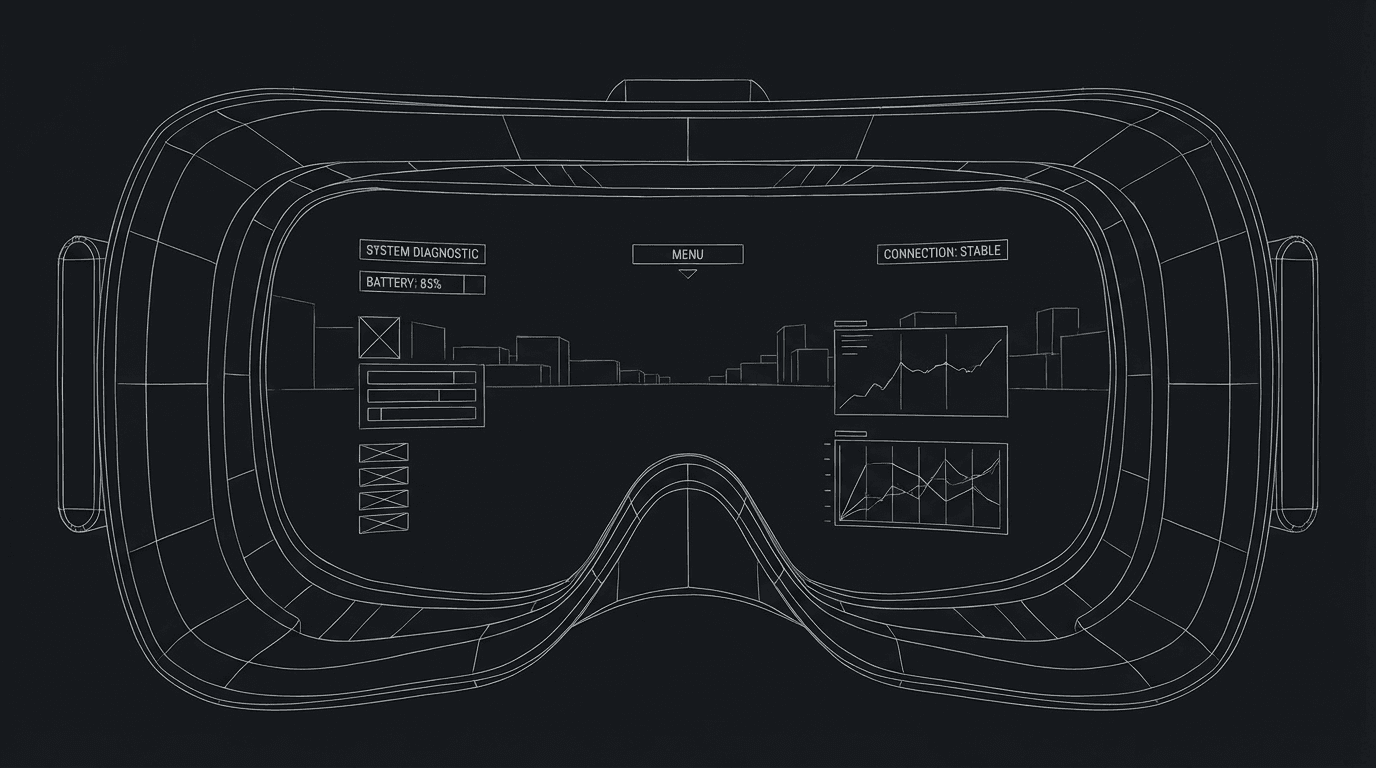
Establish: We're in VR. "She puts on the headset. VR POV - " or "INSIDE VR - [ENVIRONMENT]." Content: What does she see? A landscape. A menu. Another avatar. Describe the environment and any UI (floating icons, text). Action: What does she do? "She selects START." "She walks toward the door." Keep it in action and brief, you're not building the game. For POV and tension, see unreliable narrator, VR can be a distorted lens.
AI Interface (Voice, Hologram, Invisible UI)
Establish: We're with an AI. "AI VOICE (V.O.): Good morning." Or "HOLOGRAM - AI ASSISTANT. A figure appears." Content: What does the AI say? What do we see (face, orb, text)? Action: What does the character do? "She asks: Where is he?" "The AI displays a map." Specify content; production will design the look. For dialogue and subtext, see subtext, the AI can be a character.
Holographic or Floating UI
No physical screen. Menus, maps, or data float in space. Format: "HOLOGRAPHIC DISPLAY - A map appears in the air." "She swipes. The map zooms." Describe what we see and what the character does. Use a label (HOLOGRAPHIC UI, AR OVERLAY) so we know we're in the tech. For clarity, see screenplay format.
Relatable Scenario: The Character in a VR Training Sim
We're in the sim. Things go wrong. Format: Establish VR POV. Describe the environment and the glitch (something breaks, something shouldn't be there). Action: what she does. For tension, see micro-pacing.
Relatable Scenario: The AI That Knows Too Much
The character talks to an AI. The AI reveals something. Format: AI as (V.O.) or as a character (e.g. "AI"). Dialogue and reaction. We might see a visual (hologram, light), one line is enough. For exposition through tech, see exposition dump, don't let the AI just dump; use conflict or one key line.
The Trench Warfare Section: What Beginners Get Wrong
Over-specifying the design. You're describing every pixel. Fix: Content and action. "She sees a menu. Three options. She selects ENTER." Production designs the rest. For format economy, see screenplay format.
Unclear when we're in the tech. The reader can't tell VR from real, or AI from human. Fix: Label (VR POV, AI VOICE, HOLOGRAM) and use it consistently. For clarity, see screenplay format.
Making the AI a info dump. The AI explains everything. Fix: Give the AI character or limits. One or two lines. Conflict. For exposition, see exposition dump.
No character action. We're lost in the interface. Fix: Tie every beat to what the character does or says. For character, see subtext.
Try it free
Try Screenweaver for free on your script
It is free. Import your existing project, get a clearer view of your outline, and regain control of your story structure in minutes.
Start FreeFuturistic Tech: What to Include
| Element | Include |
|---|---|
| Label | VR POV, AI VOICE, HOLOGRAM, etc. |
| Content | What we see (environment, menu, text) |
| Character action | Select, say, move |
| Dialogue | AI or system (V.O.) or as character |
Step-by-Step: Formatting VR or AI
First: Label the tech (VR POV, AI, hologram). Second: Describe what we see (environment, UI, figure) in one or two lines. Third: Write character action (select, ask, react). Fourth: Dialogue from the system, tag (V.O.) or as "AI." Fifth: Be consistent so the reader always knows when we're in the tech. For more on screens and interfaces, see desktop cinema and chyrons.
[YOUTUBE VIDEO: Same beat in real world vs. in VR, format and read.]
The Perspective
Format VR and AI by labeling the tech, describing what we see and what the character does, and tagging dialogue. Don't over-design. Do keep it consistent. When the reader knows when we're in the tech and what happens there, the format works. So label it. Describe it. And keep the character in the loop.
Final Step
Build your next script with Screenweaver
Move from ideas to production-ready pages faster with timeline-native writing and AI-assisted story flow.
Try Screenweaver