

The script is locked. Now production needs a breakdown: every scene, every element, cast, extras, props, vehicles, VFX, wardrobe, animals, special equipment, so the line producer and the AD can schedule and budget. The path from Final Draft (or FDX) to Movie Magic Scheduling (or another scheduling tool) is standard in the industry. Here's what the breakdown step is, what the writer delivers, and how to prepare the script so it's ready for that handoff.
The script you hand to breakdown has to be the one you're shooting. Format clean; elements clear. Then the breakdown team does the rest.
Think about it this way. Breakdown = turning the script into tags and reports: scene by scene, what and who appear. Movie Magic Scheduling (and similar tools) import that breakdown and build the strip board and the schedule. Your job as the writer is to deliver a clean, final script, correct format, consistent names, no loose ends, so the breakdown team can tag without guessing. Our guide on exporting for production covers PDF vs FDX; FDX is what breakdown and scheduling tools typically ingest. This piece is about preparing for breakdown: what the script needs so the next step works. For format standards, see screenplay format.
What the Breakdown Team Needs
One locked script. No "we'll fix it later" in the file you send. The version that goes to breakdown is the version production will schedule. If you're still revising, don't send. Lock first.
Consistent character names. "JIM" in one scene and "James" in another means two different elements in the breakdown, double the cast, wrong schedule. Same for nicknames: pick one (JIM or JAMES) and use it everywhere. The screenplay format guide keeps character cues uniform; the breakdown team relies on that.
Clear scene headings. INT/EXT, location, time of day. "INT. HOUSE - DAY" and "INT. HOUSE - KITCHEN - DAY" are two different scenes for scheduling; "SOMEWHERE - LATER" is useless. Every scene has to be identifiable so the AD can group locations and the line producer can see how many company moves.
Elements visible on the page. The breakdown team tags what they see. If you don't name the prop, the vehicle, or the animal, it won't show up in the report until someone adds it manually, or worse, it gets missed. You're not writing for the breakdown software; you're writing so a human reader can quickly tag cast, extras, props, vehicles, wardrobe, VFX, stunts, and so on. Clear action lines and character cues make that possible.
What Gets Tagged (And Why It Matters for the Writer)
| Element type | What the breakdown looks for | What you do |
|---|---|---|
| Cast | Character names in dialogue/action | One spelling, one name per character |
| Extras | CROWD, PASSERSBY, etc. | Be specific when it matters (e.g. "20 PARTY GUESTS") |
| Props | Objects used or mentioned | Name important props in action or dialogue |
| Vehicles | Cars, bikes, boats | Identify in action (e.g. "the red sedan") |
| Wardrobe | Notable costume (e.g. "in a tux") | Only when it affects prep; don't over-specify |
| VFX | Effects, creatures, set extensions | One clear description per beat; see VFX-heavy scripts |
| Stunts | Fights, falls, driving | Clear outcome; see fight scenes and car chases |
| Animals | Dog, horse, etc. | Name the animal if it's a character or a real element |
| Special | Weapons, pyrotechnics, etc. | Explicit so safety and permits are covered |
You don't tag. You write clearly. The breakdown team turns that into tags. When your script is consistent and well formatted, the import into Movie Magic (or equivalent) is clean and the schedule is accurate.
From Final Draft to Movie Magic: The Workflow
Step 1: Lock the script. No more drafts in this file. The version you send is the one you're breaking down. Use version control before you lock so you have snapshots of earlier drafts.
Step 2: Export FDX (and usually PDF). FDX is the interchange format. Movie Magic and most scheduling tools import FDX and parse scene headings, character names, and action. PDF is for reading and for departments that don't use the software. How to export: exporting for production.
Step 3: The breakdown team imports the FDX. They open the script in their tool. Scene list populates. Page counts and scene numbers (if you use them) flow through.
Step 4: They tag elements scene by scene. Cast, extras, props, vehicles, wardrobe, VFX, stunts, etc. They're reading your action and dialogue and attaching each mention to the right element type. Ambiguous names or missing descriptions mean guesswork or missed elements.
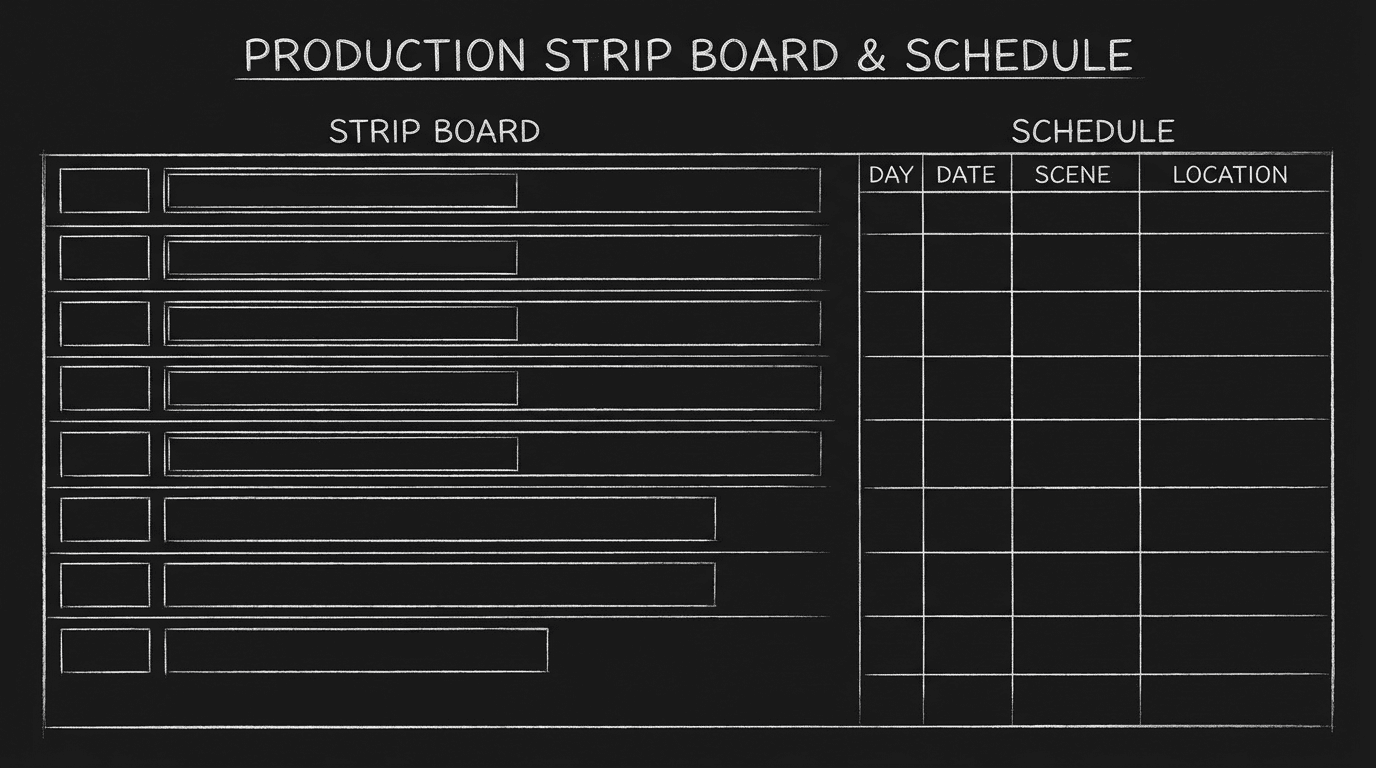
Step 5: Scheduling and budget run off the tagged breakdown. The strip board, the schedule, and the budget are built from those tags. Your script is the source of truth. Clean script → clean breakdown → reliable schedule.
You're not doing the tagging. You're delivering the right file and a clean script. When you do that, the handoff works.
Relatable Scenario: The Indie With No Dedicated Breakdown Person
You're the writer and maybe the producer. There's no dedicated breakdown coordinator. You might do a first pass: scene list, character list, and a simple element list in a spreadsheet or a doc. Then you hand the FDX to a scheduler (or a friend with Movie Magic) or use a lighter-weight tool. The principle is the same: clean script, correct export. The more consistent your script, the less time someone spends fixing "JIM" vs "James" or guessing what "the thing" in scene 12 is. Lock. Export. Hand off. For more on export formats, see exporting for production.
Relatable Scenario: The Studio Show With a Full Team
The script goes to the production office. A breakdown coordinator imports the FDX into Movie Magic (or the show's chosen tool). They tag every element. The AD uses the breakdown to build the strip board and the schedule. Revisions come in as colored pages; the breakdown gets updated from the new draft. Your job is still the same: deliver a locked script with consistent names and clear scene headings. Revisions are a separate step, each new draft gets a new version number and, if needed, a new export. For versioning, see version control.
Relatable Scenario: Revisions After Breakdown
Sometimes the director or the network asks for changes after the script has been broken down. That's normal. What's not okay: changing the script without issuing a new draft and a new export. If you add a character, a location, or a prop in the file but don't send a new FDX, the breakdown and the schedule are wrong. So: any script change after handoff = new version, new export, and communication to the breakdown team. Lock doesn't mean "never touch"; it means "this version is the one we're breaking down." The next version is the next lock.
Try it free
Try Screenweaver for free on your script
It is free. Import your existing project, get a clearer view of your outline, and regain control of your story structure in minutes.
Start FreeThe Trench Warfare: What Beginners Get Wrong
Sending an unfinalized draft. "We'll fix the ending later." The breakdown team breaks down what you send. If the ending changes, every scene count and element count can change. Fix: Lock the script. The version you send is the one you're breaking down. If you're not ready to lock, don't send.
Inconsistent character names. "JIM" in one scene, "James" in another, "Jimmy" in a third. The software (or the coordinator) may create three separate cast elements. Fix: Find and replace. Pick one name per character and use it everywhere. Check dialogue and action. Use screenplay format so character cues are uniform.
Wrong or missing format. Scene headings that aren't INT/EXT or that lack location or time of day. Action that's in dialogue format. Fix: Use proper screenplay format and export FDX. The import relies on structure; broken structure means broken scene list.
Vague scene headings. "INT. PLACE - DAY" or "SAME - LATER." The AD can't group locations; the schedule is a mess. Fix: Every scene has a real location and a clear time. "INT. MARIA'S APARTMENT - KITCHEN - DAY." "EXT. STREET - NIGHT."
Elements that exist only in your head. You know "the letter" is the same prop in scenes 5 and 42. If you never name it clearly, the breakdown might tag two different "letter" props or miss one. Fix: Name important props, vehicles, and wardrobe when they matter for the story or for production. One clear reference per element.
Changing the script after handoff without a new export. You fix a typo or add a line. The breakdown team still has the old FDX. Fix: Any change = new version, new FDX, and handoff to the team. For managing drafts, see version control.
Breaking Down: What the Writer Delivers
| Deliverable | Purpose |
|---|---|
| Locked script | One version for production; no "we'll fix later" |
| FDX (and often PDF) | FDX for import; PDF for read-through and departments |
| Consistent character names | So cast count and schedule are correct |
| Clear scene headings | So locations and days can be grouped and scheduled |
| Named elements where they matter | So props, vehicles, VFX, etc. can be tagged |
You don't deliver the breakdown itself. You deliver the source: the script that makes the breakdown possible.
Step-by-Step: Preparing for Breakdown
First: Lock the script. No more drafts in this file. If you use version control, save a snapshot of this lock so you have a clear "breakdown version."
Second: Check character names. Search for every variant (Jim, James, Jimmy). Replace with the single name you use in the script. Check dialogue and action.
Third: Check scene headings. Every scene has INT or EXT, a specific location, and time of day. No "SAME" or "LATER" without a clear previous reference. Fix any vague headings.
Fourth: Scan for key elements. Props, vehicles, animals, VFX, stunts. If something is important for story or production, make sure it's named clearly at least once in the scene where it appears.
Fifth: Export FDX (and PDF). Use exporting for production as a reference. Test the FDX if you can: open it in another app or send a sample to the breakdown person to confirm the import works.
Sixth: Hand off to the breakdown team or scheduler. Send the FDX and, if requested, the PDF. Specify the version (e.g. "Production Draft 2 - Locked for Breakdown").
Seventh: Don't change the script after handoff without a new version and communication. If you must revise, create a new draft, export a new FDX, and send it with a note so the breakdown can be updated.
When the script is consistent and the format is correct, the handoff to Movie Magic (or equivalent) works. So lock the script. Export FDX. And hand it off clean.
[YOUTUBE VIDEO: From Final Draft to Movie Magic, export and import overview.]
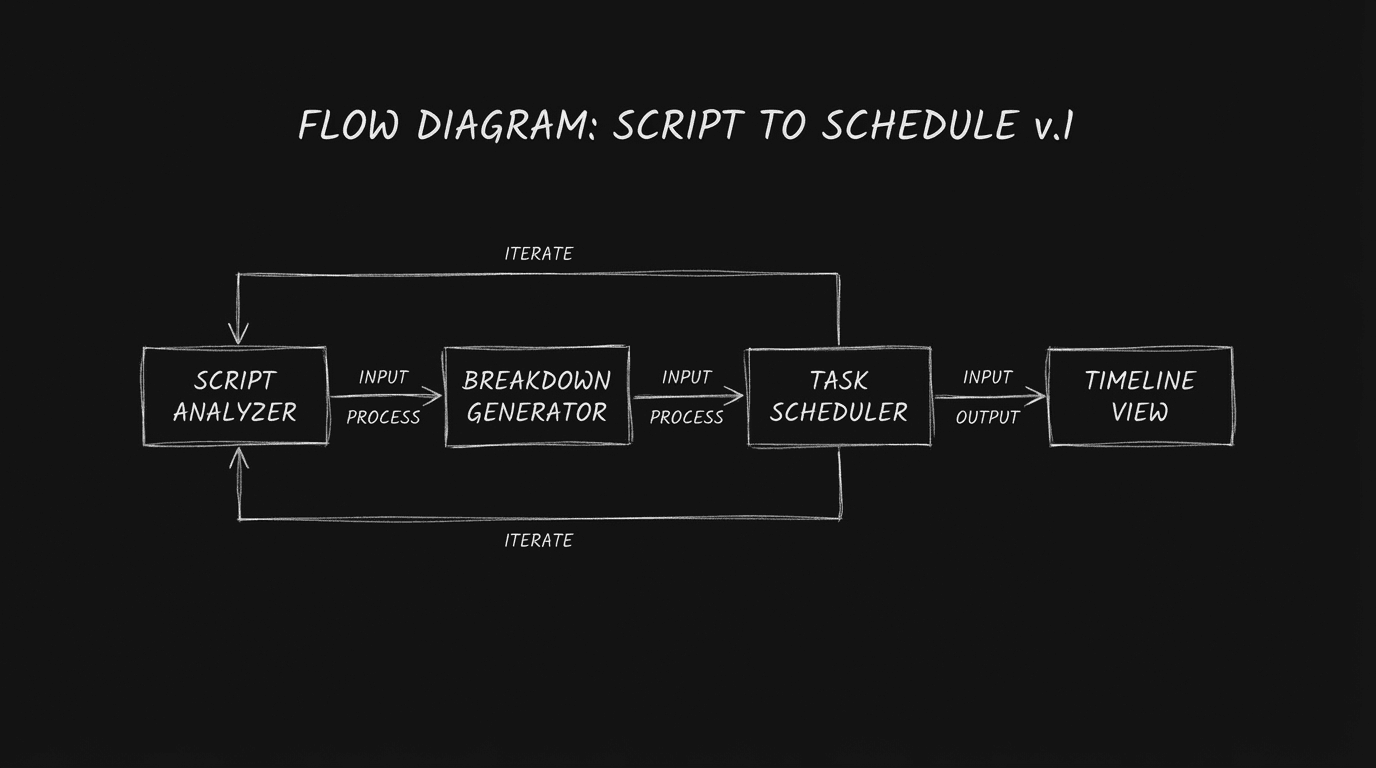
These two visuals work as a pair: the first shows Script to breakdown to schedule flow; dark mode technical sketch, and the second shifts to Strip board and schedule; dark mode technical sketch—compare them briefly, then move on.
The Perspective
Breaking down starts with a locked, clean script and the right export (FDX). The writer delivers the file; the breakdown team tags and schedules. When the script has consistent names, clear scene headings, and named elements where they matter, the handoff works. You're not doing the breakdown. You're giving the team the script they need so they can. So lock the script. Export FDX. And hand it off clean.
Final Step
Build your next script with Screenweaver
Move from ideas to production-ready pages faster with timeline-native writing and AI-assisted story flow.
Try Screenweaver