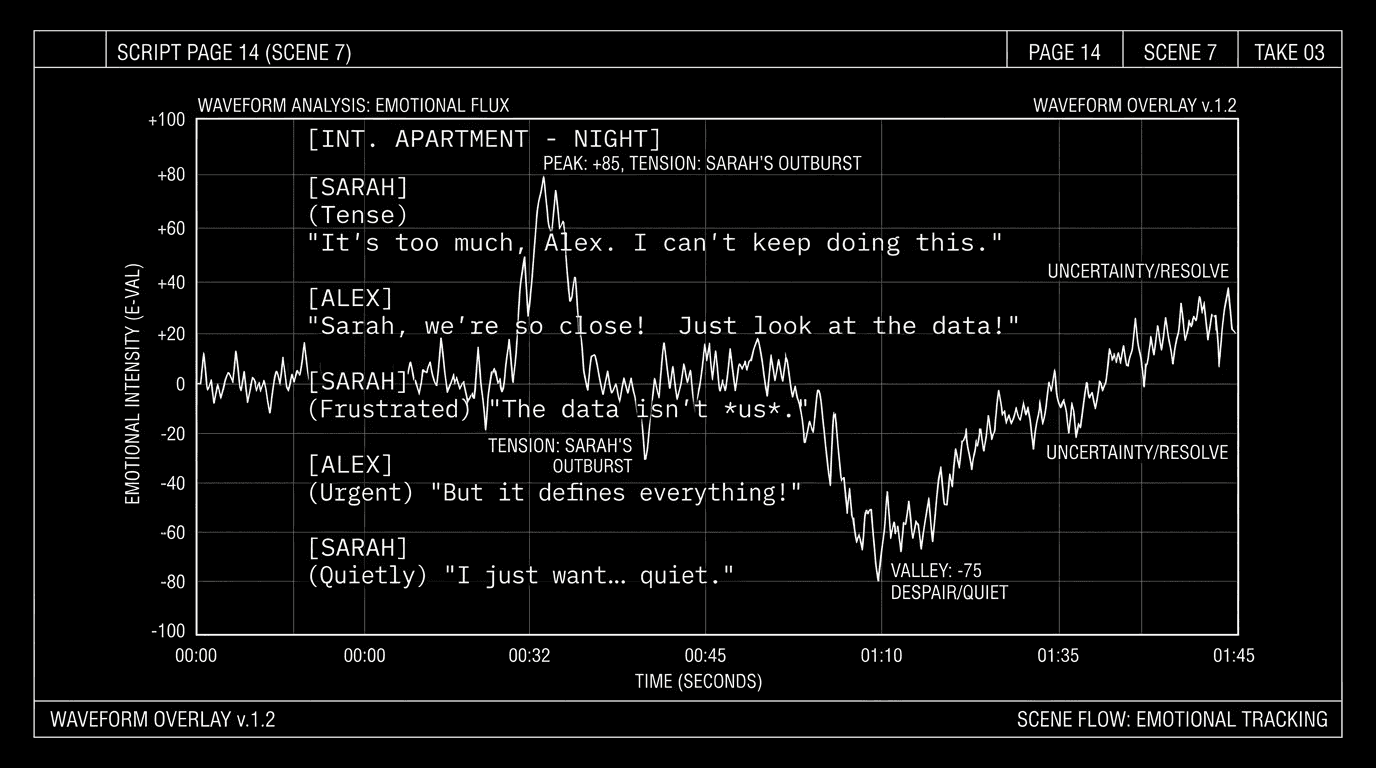

You've written the scene to feel tense. The reader says it landed flat. You've written another to feel hopeful; someone says it reads sad. The gap between what you intended and what a reader feels is the hardest thing to diagnose from the inside. Sentiment analysis, the kind that labels text as positive, negative, neutral, or more nuanced emotions, is a blunt tool. But in the right workflow, it can show you where your script signals one tone and where it might be signaling another. Not truth. Signal. You still decide what the scene should feel like. The machine shows you what the words, in aggregate, might be doing.
AI doesn't feel. It counts. Sentiment analysis gives you a map of emotional cues across scenes, so you can see if the map matches the territory you had in mind.
Here's the tension. Sentiment tools are built for social media and reviews: thumbs up, thumbs down, angry, happy. Screenplays are different. Dialogue can be sarcastic ("Great. Just great."). Action lines can be neutral while the subtext is devastating. A character saying "I love you" in one context is warm; in another it's a weapon. So raw sentiment scores will misread. The value isn't in taking the score as gospel. It's in comparison. Does the scene you meant to be the emotional low point actually show up as the most negative? Does the comedy stretch read lighter than the drama stretch? If the curve doesn't match your intent, you have a prompt to re-read and ask: what words or beats are driving the signal? Then you adjust. The human decides the target. The machine surfaces the mismatch.
Cinematic workflow frames
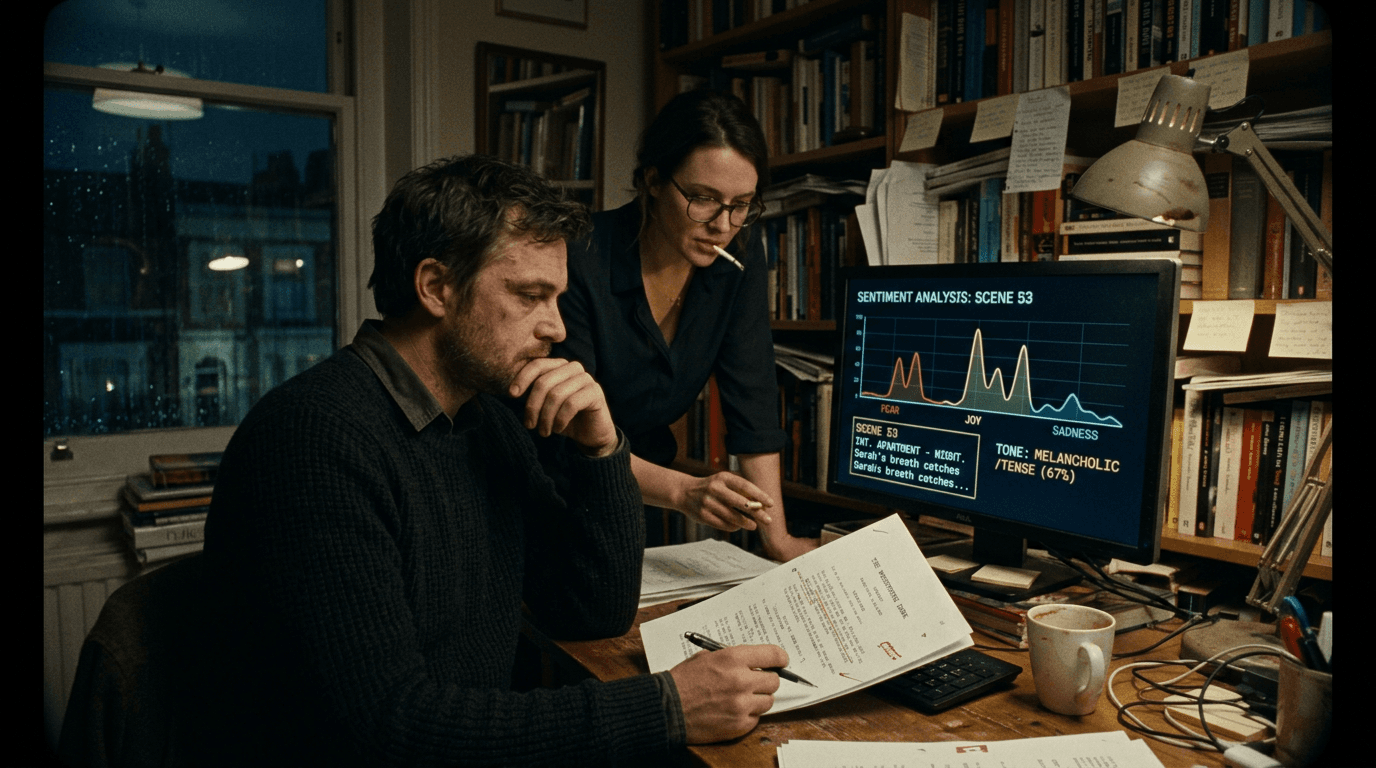
These two visuals work as a pair: the first shows Cinematic workflow still, first angle, 35mm film grain, and the second shifts to Cinematic workflow still, second angle, 35mm film grain—compare them briefly, then move on.
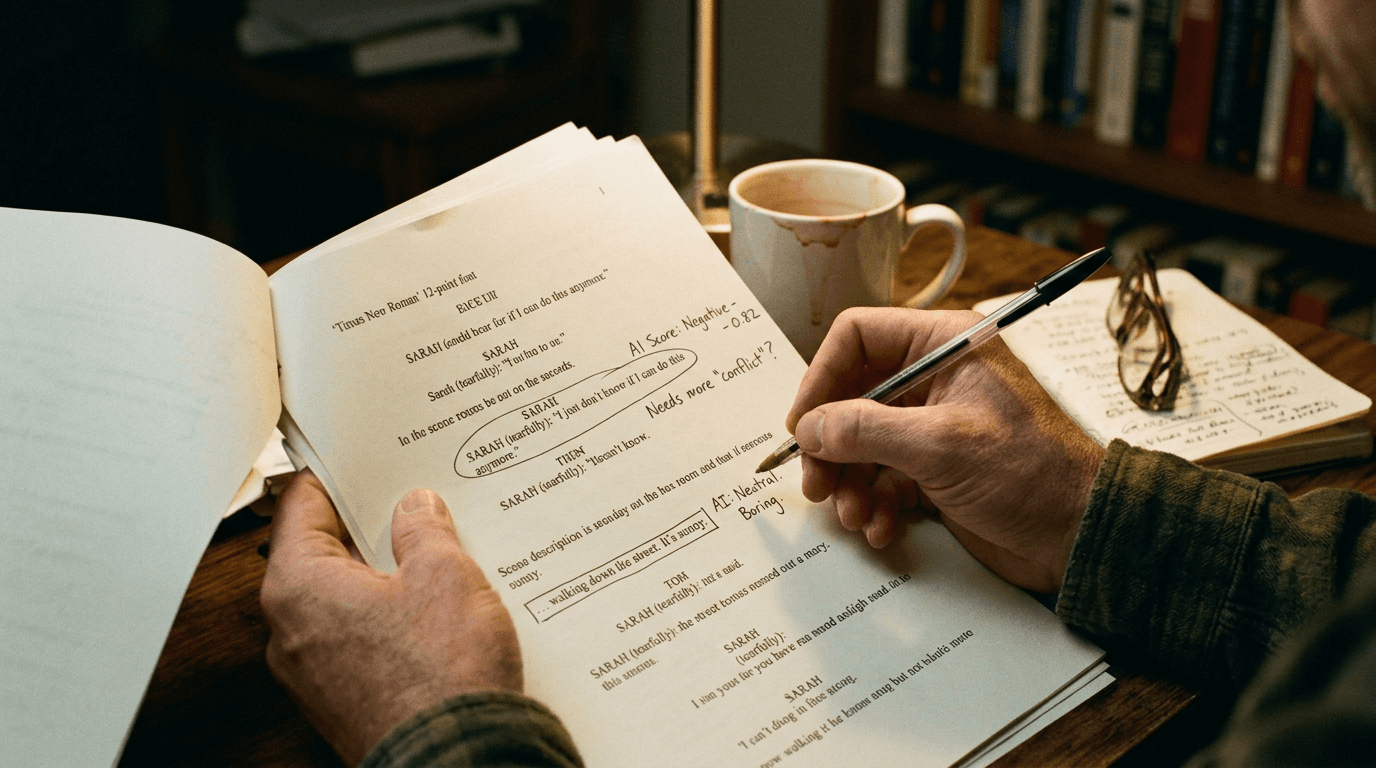
What Sentiment Analysis Can and Can't Do
It can: Assign a rough positive/negative/neutral (or joy, fear, anger, etc.) to chunks of text. Compare scenes or sequences: "Scene 12 scores more negative than Scene 8." Show trends: "Pages 40–60 have a dip in positive sentiment." Flag outliers: "This line scored highly negative; the rest of the scene is neutral."
It can't: Read subtext. Understand genre (sarcasm, irony, understatement). Know your intent. Replace a reader. So the workflow is: run the analysis, get a curve or a table, then interpret. If the "all is lost" scene doesn't show as a sentiment low, maybe the dialogue is too guarded or the action lines are too flat. If the comedy scene scores sad, maybe you've got a beat that's pulling the average down. The analysis is a diagnostic. You're the doctor.
The Workflow: From Script to Emotional Map
Step 1: Export scene-by-scene or page-by-page. Sentiment tools need text chunks. Break the script into scenes (or fixed page ranges, e.g. every 5 pages). Paste each chunk. If your tool has an API or batch mode, you can run many chunks in one go. Label each chunk (Scene 12, pages 45–50) so you can map results back.
Step 2: Run sentiment on each chunk. Use a general-purpose sentiment API (e.g. positive/negative/neutral and optionally compound score) or an emotion model (joy, sadness, anger, fear). Record the score per chunk. Build a simple table: Scene / Page range / Sentiment score (and optional dominant emotion).
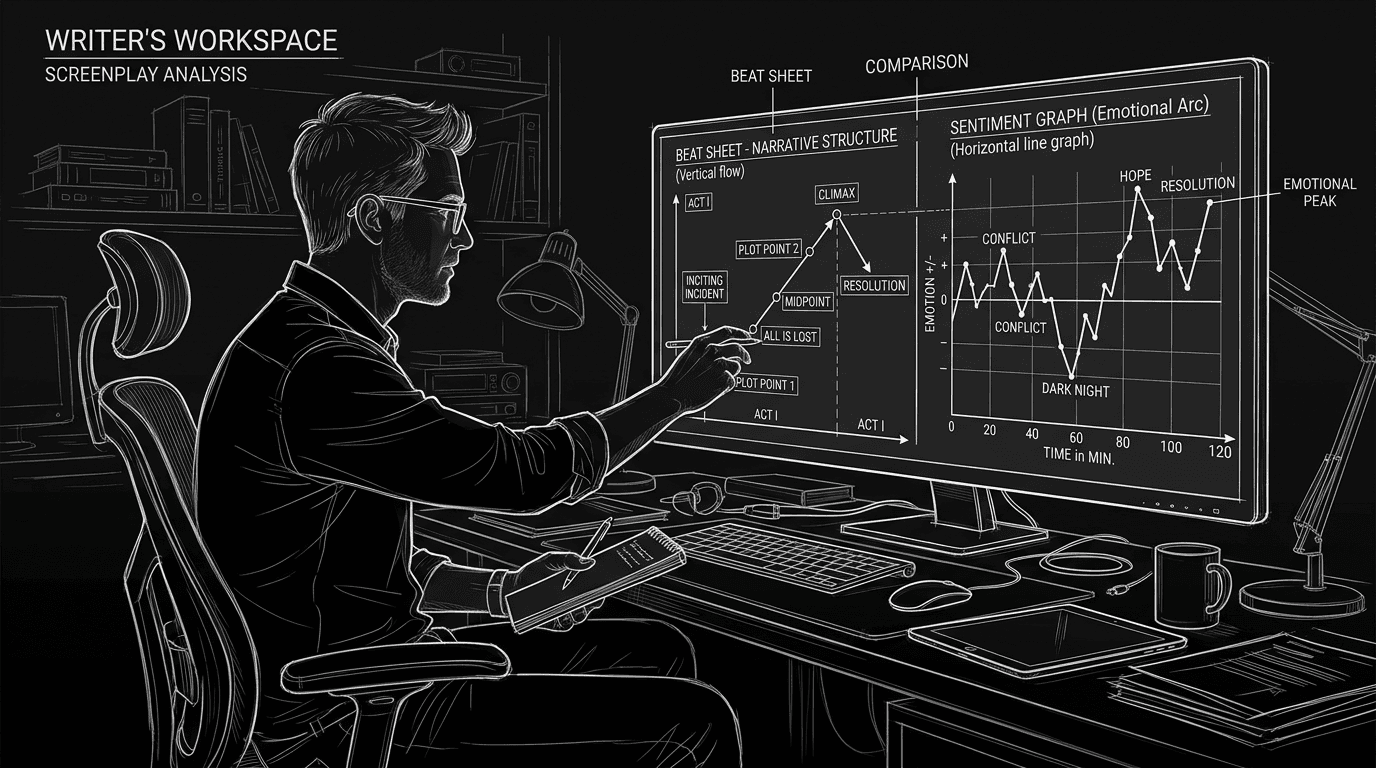
Step 3: Plot or list the curve. You want to see where the script "feels" high and low. A simple line graph (scene number vs. sentiment) or a sorted list of "most negative scenes" and "most positive scenes" does the job. You're looking for: Does the emotional low land where I thought? Does the climax land as a peak or a valley? Do any scenes stick out as wrong for their place in the story?
Step 4: Compare to your intent. You have a beat sheet or an outline. Mark where you intended peaks and valleys. Overlay the sentiment curve. Where they align, you have confirmation. Where they don't, you have a revision target. "I meant for the midpoint to feel hopeful, but the sentiment is flat or negative." So you re-read the midpoint and ask: what words are driving that? Do I need to add a beat, change a line, or accept that the scene is darker than I thought?
Step 5: Drill down on mismatches. For any scene where sentiment and intent diverge, paste that scene (or its dialogue) back into the tool or into an LLM. Ask: "What words or phrases in this passage might be driving a negative (or positive) sentiment?" You get a list. You decide what to change. The machine doesn't rewrite. It points.
| You provide | Tool returns | You do |
|---|---|---|
| Scene text (or page range) | Sentiment score, optional emotion tags | Map to scene numbers, plot curve |
| Full script in chunks | Score per chunk | Compare curve to beat sheet / intent |
| Single scene that "feels wrong" | Words or lines with strong sentiment | Rewrite or add beats to match intent |
For structure that keeps your intended emotional arc visible, beat boards and script help. For when tone and subtext matter more than raw sentiment, can AI write subtext outlines the limits.
Try it free
Try Screenweaver for free on your script
It is free. Import your existing project, get a clearer view of your outline, and regain control of your story structure in minutes.
Start FreeRelatable Scenario: The "All Is Lost" That Doesn't Feel Lost
You've written the all-is-lost moment. On the beat sheet it's the emotional bottom. You run sentiment on the script. That scene scores only mildly negative, same as a few earlier scenes. You re-read the scene. The dialogue is restrained; the action is sparse. The content is dark (character has lost everything), but the language doesn't carry the weight. You add one line of dialogue that names the loss, or one action beat that shows collapse. You run sentiment again. The scene now scores as the clear low. You didn't let the machine write. You used it to find the gap between content and signal.
Relatable Scenario: The Comedy Stretch That Reads Sad
Your second act has a run of comic scenes. A reader says "it got heavy in the middle." You run sentiment. The "comedy" stretch has several lines or action beats that score negative (failure, embarrassment, conflict). In context you meant them as funny. The tool can't get context, but it showed you that the raw emotional signal of those lines is negative. You have a choice: lean into the darkness (maybe the tone shift is right) or lighten the language so the same events read funnier. Either way, you're deciding with data. The sentiment analysis didn't tell you what to do. It told you what the words are doing.
Relatable Scenario: The Pacing of Emotional Beats
You want the script to have a clear emotional arc: hope, setback, hope, crisis, resolution. You run sentiment by scene and plot the curve. The curve is flat for 30 pages. No peaks, no valleys. You realize you've written a lot of "functional" scenes, getting people from A to B, without a clear emotional charge in the dialogue or action. You don't need to make every scene weepy or joyful. You need a few clear peaks and valleys so the reader feels the arc. The sentiment map shows you where to add or sharpen those beats. You pick the scenes. You write the beats. The map guided the revision.
What Beginners Get Wrong: The Trench Warfare Section
Treating sentiment score as "how the scene feels." The score is a proxy. Sarcasm, irony, and genre will distort it. The fix: use scores for comparison (which scenes are higher or lower) and for spotting mismatches with intent. Don't treat a "negative" score as "bad writing." Treat it as "the text signals negative, is that what I wanted?"
Running analysis on the whole script at once. One score for 110 pages is useless. The fix: chunk by scene or by page range. You need a curve, not a single number.
Ignoring the beat sheet. Sentiment without intent is just data. The fix: have a clear idea of where you wanted highs and lows. Overlay the sentiment curve on that. The value is in the gap.
Expecting the tool to get subtext. "I was being ironic" doesn't change the fact that the words are negative. The fix: accept that sentiment is surface-level. Use it to spot when surface and intent might be out of sync. For nuance, you still need human readers.
Changing every "wrong" score. Not every scene needs to hit a peak or valley. Some scenes are bridges. The fix: focus on the key emotional moments (inciting incident, midpoint, all is lost, climax). Make sure those land where you want on the curve. Leave the rest as is unless you have a reason.
Using only one metric. Positive/negative is crude. Some tools offer multiple emotions or a "compound" score. The fix: if available, look at both. A scene might be "negative" but also "high energy" (anger vs. sadness). That distinction can inform tone.
[YOUTUBE VIDEO: Short demo: breaking a 10-page sample into scenes, running sentiment per scene, plotting the curve, then overlaying intended beats and adjusting one scene to match intent.]
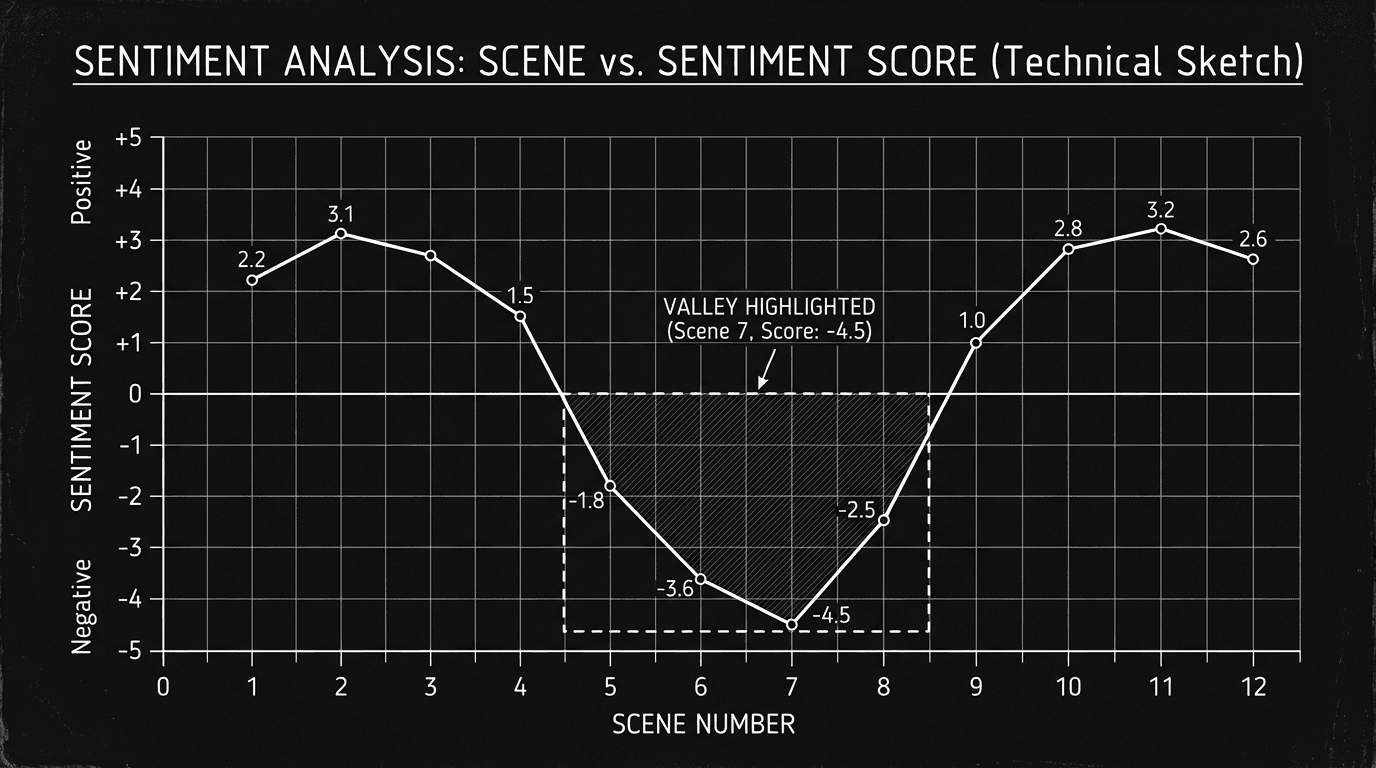
Software and parameters. Use a sentiment API (e.g. VADER, TextBlob, or a cloud NLP API) or an LLM with an instruction like "Rate the emotional valence of this passage from 1 (very negative) to 10 (very positive). One number only." For LLMs, temperature 0.2–0.3 keeps scores consistent. Chunk the script; run per chunk; build the table and curve yourself in a spreadsheet or doc. For more on how AI can support, and where it can't, emotional and structural choices, AI and subtext is a useful read.
One External Reference
Research on sentiment analysis in narrative and creative text is still evolving. For industry context on how scripts are evaluated, guild and studio resources apply; the WGA{rel="nofollow"} site offers general information on professional standards. Your use of sentiment is a private diagnostic; the script remains yours.
The Perspective
Sentiment analysis doesn't tell you how the scene feels. It tells you how the words might signal to a reader, or to a simple model, across the script. Use it to map emotional curve, compare to your intended beats, and spot mismatches. Then re-read, decide, and rewrite. The machine draws the map. You decide if the territory is right.
Final Step
Build your next script with Screenweaver
Move from ideas to production-ready pages faster with timeline-native writing and AI-assisted story flow.
Try Screenweaver