
The second act is where scripts go to die. Not in a blaze of glory, in a slow, sagging middle. You've read it a hundred times. You can't feel it anymore. Your beta readers say "it drags a bit in the middle" but can't point to the page. So you're left guessing: is it scene 47? The whole B-plot? The fact that nothing irreversible happens for twenty pages? The question isn't whether pacing can be measured. It's whether a machine can surface what your own eyes have stopped seeing.
Pacing isn't a single number. It's the reader's sense of acceleration and deceleration. AI can't feel boredom. It can count it, scene length, dialogue density, event frequency, repetition, and show you where the pattern goes flat.
Here's the tension. You want a diagnostic, not a rewrite. You want to know where the script sags and why, so you can fix it yourself. Tools that only say "your second act is slow" are useless. Tools that say "pages 52–68 have no new story information; scene 61 repeats the beat from scene 48; dialogue density spikes here while action drops" give you something to work with. The best use of AI for second-act pacing is as a pattern detector. It flags stretches where nothing changes, where dialogue dominates without conflict, or where the same emotional beat recurs. You decide whether to cut, compress, or reorder.
Cinematic workflow frames
These two visuals work as a pair: the first shows Cinematic workflow still, first angle, 35mm film grain, and the second shifts to Cinematic workflow still, second angle, 35mm film grain—compare them briefly, then move on.

What "Pacing" Actually Means in a Second Act
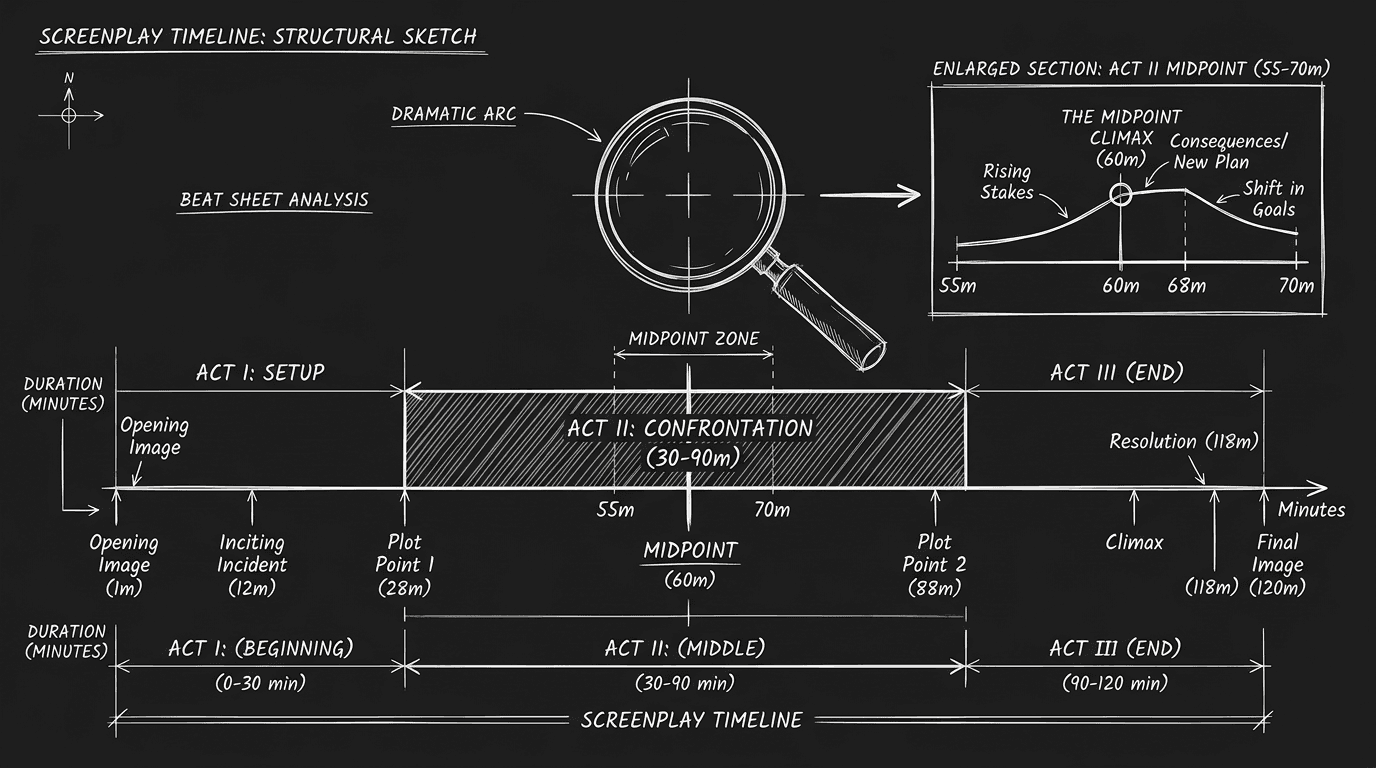
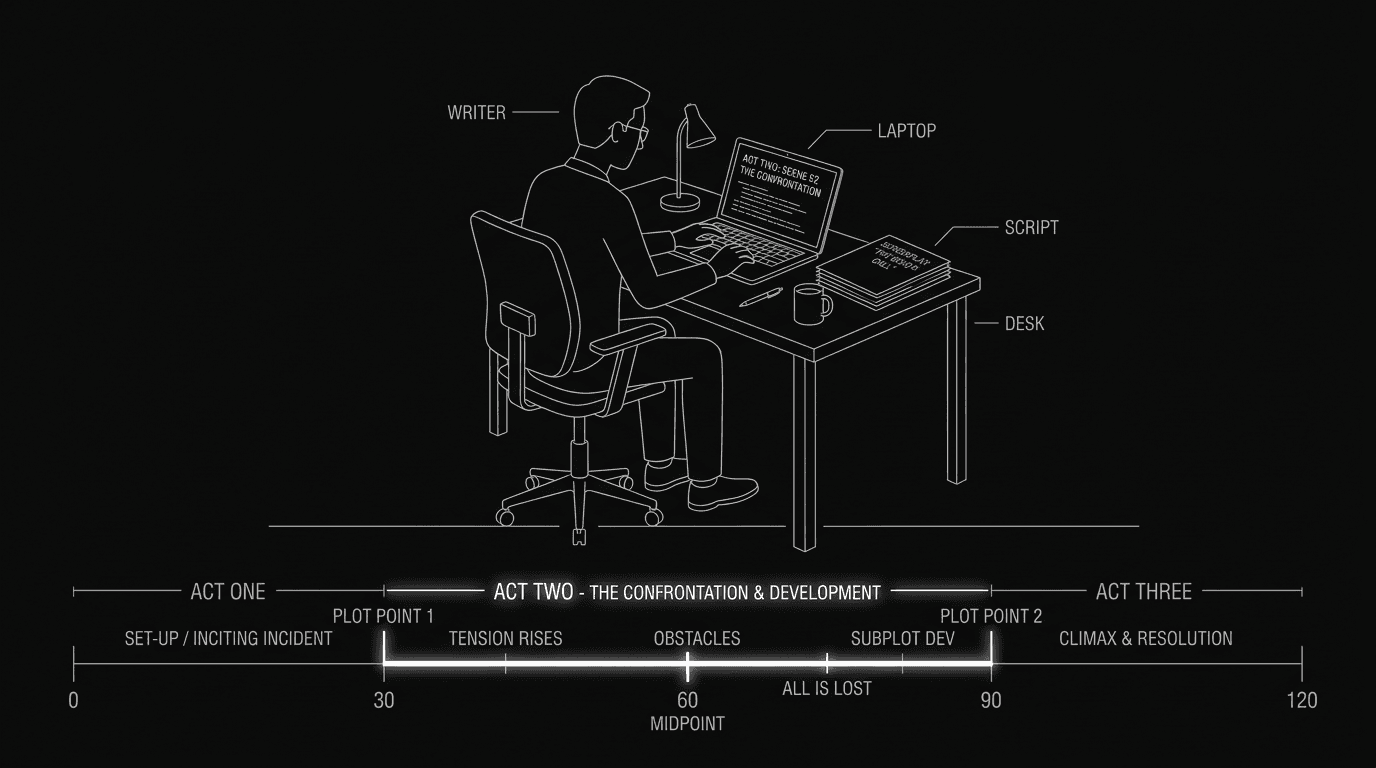
The second act is roughly pages 25–90 in a 110-page feature. In that span, the protagonist moves from "entering the new world" to "all is lost." The reader should feel the noose tightening. When they don't, we call it a sagging middle. But "sagging" can mean different things. Sometimes it's narrative stall: no new plot information for several scenes. Sometimes it's emotional repetition: the same argument or fear stated again in different words. Sometimes it's rhythm: too many long dialogue scenes in a row, or too many short action beats with no breath. Sometimes it's stakes drift: the central question fades and the reader forgets what the character is fighting for.
AI can't tell you "this scene is boring." It can tell you that scene 55 is 20% longer than the script average, that pages 58–62 contain no new character decisions, or that the word "realize" appears four times in eight pages. Those signals correlate with reader fatigue. Your job is to interpret them. A long scene might be intentional (a set piece). A stretch with no new decisions might be deliberate (the character is stuck). The machine surfaces the pattern. You decide if it's a bug or a feature.
The Workflow: From Script to Pacing Report
Step 1: Export a clean text version. Strip formatting if needed, you want scene boundaries, dialogue, and action. Many tools work on plain text or Fountain. If your software exports by scene, you can feed scenes one by one; if not, feed the full second act (e.g. pages 25–90) so the engine sees sequence.
Step 2: Define what you're measuring. Don't ask "is my pacing good?" Ask for specifics. "List every scene in the second act with: approximate word count, proportion of dialogue vs action, one-sentence summary of what changes in the story (new information or decision). Flag scenes where nothing new happens." Or: "Identify stretches of 3+ consecutive scenes with no irreversible story event." Or: "Where does the same emotional beat (e.g. 'character doubts themselves') repeat without escalation?" The prompt shapes the output. Vague prompts get vague answers.
Step 3: Run the analysis. Paste the second act (or scene-by-scene) into a chat interface. Use a single, structured prompt that includes the script and your questions. If the context window is too small, split into two chunks (e.g. act two part one, act two part two) and run the same questions on each, then compare. Some writers use a dedicated script-analysis tool; others use a general-purpose LLM with a clear instruction set. Both work if the instruction set is clear.
Step 4: Map the output to page numbers. The engine will return scene numbers, summaries, or "pages 52–68." Cross-reference with your actual script. The gap between "scene 12" in the analysis and "page 57" in Final Draft is where you'll do the surgery. Build a simple list: Scene / Page / Issue. That becomes your revision map.
Step 5: Fix one stretch at a time. Don't try to fix every flagged spot. Pick the worst offender, the longest stretch with no new information, or the densest block of repetitive dialogue, and address that first. Often, cutting one scene or merging two fixes the perceived drag. Re-run the analysis after a pass to see if the pattern improved.
| What AI can flag | What it can't do | What you do |
|---|---|---|
| Scene length variance, dialogue/action ratio | Judge if a long scene is good or bad | Decide: keep, cut, or compress |
| Stretches with no new story info | Know your intended tone (slow burn vs propulsive) | Interpret against intent |
| Repetition of words, beats, or emotions | Feel audience boredom | Use as a prompt to re-read and edit |
| Sequence of scene types (all talk, no action) | Replace structural thinking | Reorder or add a set piece |
For more on how structure underpins pacing, see the midpoint and second-act design. For tools that keep outline and script in sync so you can see act boundaries at a glance, beat boards and script in one place are worth a look.
Try it free
Try Screenweaver for free on your script
It is free. Import your existing project, get a clearer view of your outline, and regain control of your story structure in minutes.
Start FreeRelatable Scenario: The "It Drags" Note With No Address
You get feedback: "The middle sags." You re-read pages 40–75 and everything feels necessary. You paste the second act into a chat and ask: "For each scene, state in one sentence what new story information or character decision we get. If a scene adds nothing new, say 'no new information.'" The output shows that scenes 14–17 (pages 58–68) all restate the same conflict: the protagonist doesn't trust the ally. No new revelation, no escalation, no turn. You had thought of them as four distinct beats. The machine reframed them as one beat repeated. You merge two of the scenes and cut the redundant dialogue in the other two. The "sag" note disappears on the next read. The AI didn't fix the script. It gave you a lens.
Relatable Scenario: The Dialogue-Heavy Stretch
Your second act is relationship-driven. Lots of conversations. A reader says the script "goes quiet" for a while. You run an analysis asking for dialogue-to-action ratio by scene. The report shows that from page 52 to 68, dialogue is over 80% of the text, and the next five scenes are also dialogue-heavy. You're not wrong to have talky scenes; the issue is the run. You add one short action sequence (a chase, a discovery, a visual beat) in the middle of that stretch to break the rhythm. You don't change the content of the conversations. You change the pacing around them. The AI showed you where the rhythm was flat. You chose how to vary it.
Relatable Scenario: The Producer Who Says "Trim the Middle"
The note is "we need 10 pages out of the middle." You don't know where to cut. You ask the engine: "List every scene in the second act with a one-line summary. Then identify which scenes could be cut or merged without losing a story beat." You get a list. Some suggestions are wrong (the engine doesn't know that scene 22 pays off in act three). Some are sharp (two scenes that both "character learns the mentor lied" can become one). You use the list as a starting point for your own triage. You cut eight pages by merging and trimming, and you make the final two pages by tightening dialogue. The AI didn't decide. It proposed candidates. You decided.
What Beginners Get Wrong: The Trench Warfare Section
Trusting the first "pacing score" they see. Some tools return a single number or a "good/bad" label. That's reductive. Pacing is local: one slow stretch can be fine if the next sequence pays it off. The fix: ask for where and what, not just "is it slow." Demand scene-level or page-range output so you can target revisions.
Pasting the whole script and asking "what's wrong with my pacing." Without structure, the engine will generalize. "The second act could be tighter." Useless. The fix: specify the act, specify the metrics (scene length, new information, repetition), and ask for a list. Structured questions get structured answers.
Treating every flagged scene as a cut. The engine might flag a long scene that's your best set piece. The fix: use flags as a prompt to re-read. If the scene earns its length, keep it. If it doesn't, now you know where to trim. The machine suggests; you choose.
Ignoring context window limits. Second acts are long. If you paste 60 pages and the model truncates or summarizes, you're not analyzing your script, you're analyzing a summary. The fix: chunk by act or by sequence, run the same analysis on each chunk, then combine the results. Or use a tool with a large context window and confirm the full text is in scope.
Expecting AI to understand tone. A slow-burn drama and a thriller have different pacing norms. The engine doesn't know you're writing the former. It might flag "no action for 15 pages" when that's intentional. The fix: add context to the prompt. "This is a character-driven drama. Flag only stretches where the same emotional beat repeats without escalation, not simply where action is low."
Not re-running after edits. You fix one stretch and assume the pacing is solved. Sometimes fixing one spot exposes another. The fix: after a revision pass, run the same analysis again. Use it as a before-and-after check.
[YOUTUBE VIDEO: Screen recording of running a second-act pacing analysis: pasting the act into a chat, applying a structured prompt for scene length and "new information" per scene, then mapping the output to a revision list and making one targeted cut.]
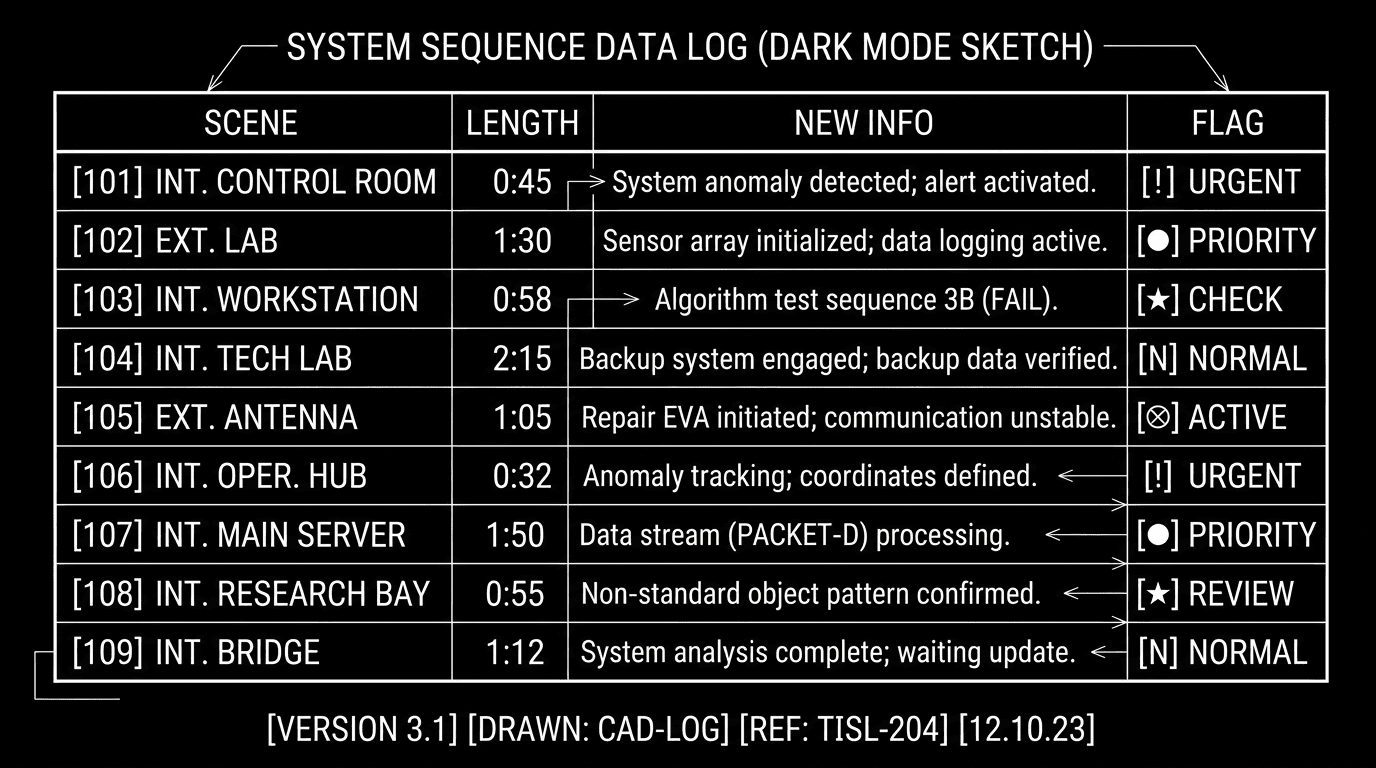
Software and parameters. Use any LLM with a large context window (Claude, ChatGPT, or an API-backed app). In the prompt, include: (1) the text of your second act or scene list, (2) a clear instruction set ("For each scene: word count, dialogue %, one sentence on new story info; flag if no new info"), (3) output format ("table or numbered list"). Temperature: 0.3–0.5 so the model stays factual and doesn't invent. If you use a dedicated script tool, check whether it reports scene length, dialogue ratio, or beat density, and whether it lets you export or act on that data. For more on using AI to support structure without writing for you, AI for outlining covers the same philosophy: diagnose, don't substitute.
One External Reference
Industry standards for script length and act structure are widely documented. Final Draft’s resources on structure{rel="nofollow"} offer one reference point for conventional act lengths and beat placement; use AI pacing analysis to see where your draft diverges from your own target structure.
The Perspective
Can AI spot pacing issues in your second act? It can spot patterns that often correlate with pacing issues: flat stretches, repetition, imbalance. It can't feel the script. It can count, summarize, and flag. Your job is to take those flags and decide which ones matter, then cut, compress, or reorder with intention. The best outcome isn't a machine that tells you the script is fixed. It's a machine that shows you where to look so you can fix it yourself.
Final Step
Build your next script with Screenweaver
Move from ideas to production-ready pages faster with timeline-native writing and AI-assisted story flow.
Try Screenweaver