
You open a screenwriting app. You see a blank page in Courier. You type. That’s the model most writers have lived with for thirty years. The script is a document. The story is something you hold in your head,or in a separate outline that may or may not match the document by the time you finish the second act. ScreenWeaver starts from a different premise: the story and the script should be the same object. Not two files that you keep in sync. One thing you can see, move, and write inside. That shift,from document-centric to structure-centric,is what makes ScreenWeaver more than another script editor.
So what is ScreenWeaver? In one sentence: it’s a screenwriting environment built around a **Living Story Map**,a horizontal timeline of acts, sequences, and beats that is bound to your script. When you drag a block on the map, the script reflows. When you write in the script, the map reflects it. You don’t maintain an outline in one place and a draft in another. You work in a single surface where structure and prose are two views of the same story. Add to that character tracking, two specialized assistants for rhythm and consistency, and export to industry-standard PDF and Final Draft, and you have a tool aimed at writers who want to see their film before they hand it off.
The Problem It Solves
Every screenwriter has felt it. You’re deep in a scene. You know something’s wrong with the middle of the script,the pacing sags, a character’s motivation drifts,but to fix it you have to leave the scene, find your outline or beat sheet, remember what you’d planned, then jump back into the script and hope you didn’t lose the thread. The cost isn’t just time. It’s cognitive. You’re constantly switching between “what happens” and “what I’m writing,” and the gap between those two is where errors creep in. Scenes that no longer match the outline. Beats you forgot to move when you restructured. An outline that says one thing and a script that says another.
ScreenWeaver removes that gap by making the outline and the script one object. The timeline isn’t a separate file. It’s the spine of the script. So when you ask “where am I in the story?” you don’t open another tab. You look at the map that’s already on screen. When you restructure, you drag a sequence and the script follows. No copy-paste across two documents. No “did I update the outline?” That’s the core value proposition. Everything else,characters, assistants, export, storyboard,builds on top of it.
ScreenWeaver doesn’t augment writing; it augments the writer. The tool holds the structure so you can hold the scene.
The Four Pillars
ScreenWeaver is built around four integrated systems. They’re designed to work together rather than as separate modules you toggle between.
The Visual Sequencer (Living Story Map)
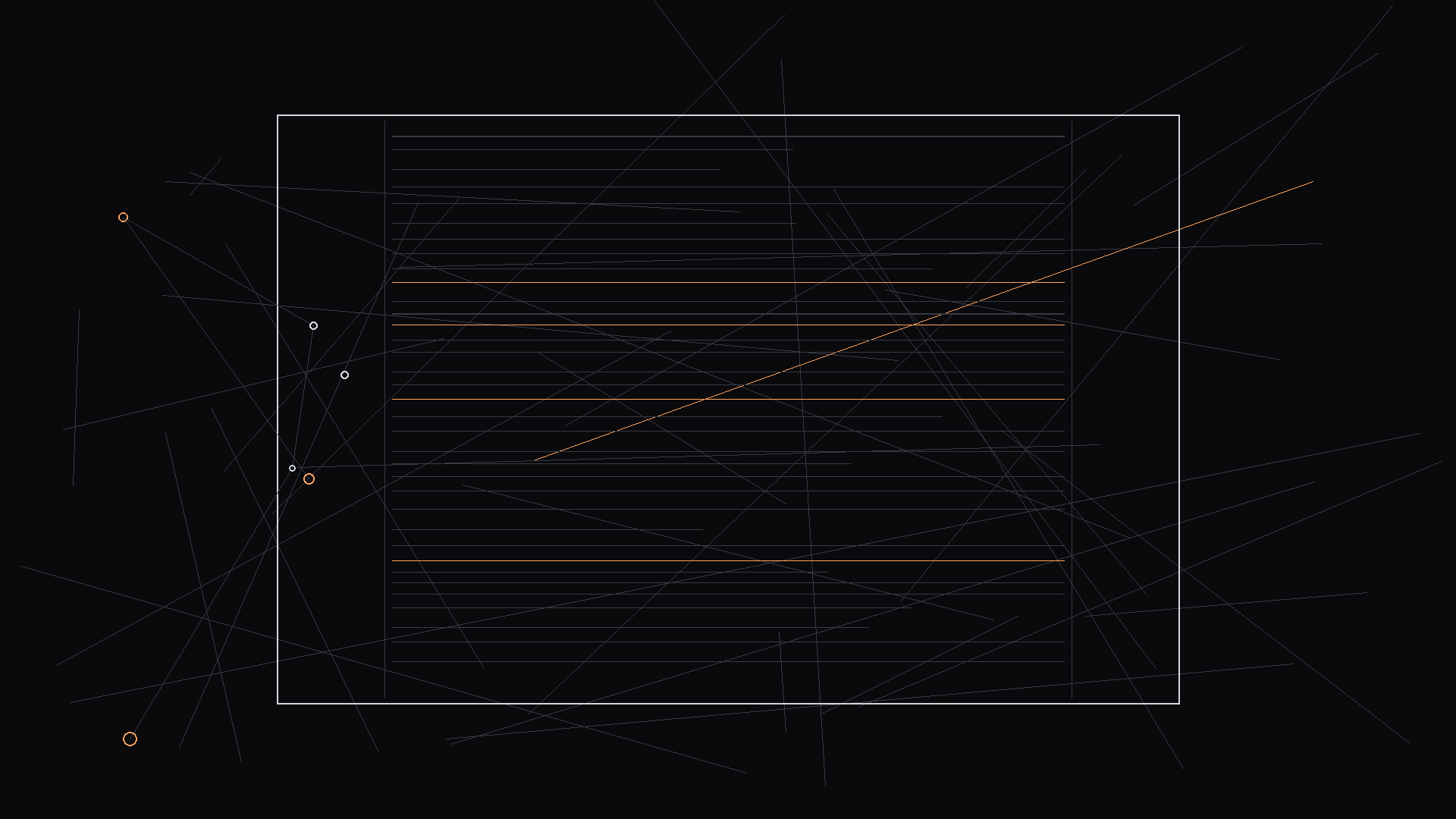
The sequencer is a horizontal timeline,like a video editor’s timeline, but for narrative. For a feature, you might see sequences and story beats. For a series, you see episodes, acts, sequences, and beats. Each block on the timeline is tied to a span of the script. Click a block and you’re in that section of the script. Write in the script and the block stays in sync. Drag a block to reorder and the script reflows. There’s no “outline mode” and “script mode.” There’s one document with two views: the map and the page.
Why does that matter? Because restructuring stops being a chore. In a traditional workflow, moving a sequence means finding every relevant scene, cutting, pasting, and hoping you didn’t miss a beat. In ScreenWeaver, you move the block. The script moves with it. You can see at a glance how long each section is, whether the middle is bloated, and where the turning points sit. Our guide on the death of the static outline goes deeper into why a bi-directional script replaces the two-document workflow.
BODY IMAGE 1 PROMPT: Dark mode technical sketch. Solid black background. One horizontal timeline with labeled blocks (Act 1, Seq. 1, Seq. 2, Act 2…). Below it, a simplified script page with vertical lines connecting each block to its script span. Thin white hand-drawn lines, minimalist, high-contrast.
Living Characters
Characters aren’t just names in the margin. You can create profiles: who they are, what they want, how they change. ScreenWeaver tracks those characters across the timeline. When a character appears in a scene, the system knows. When their stated motivation in one sequence contradicts something they did earlier, you can get a nudge. It’s not about replacing your judgment,it’s about making consistency visible so you don’t have to hold every thread in your head. For antagonists and complex roles, that visibility is especially useful. As we wrote in our piece on writing complex villains, giving the antagonist a clear spine on paper and tracking them across the map helps keep every scene in character.
Two Distinct Assistants
ScreenWeaver doesn’t use a single generic assistant. It uses two with different roles. The **Virtual Spectator** reacts like an audience member: rhythm, clarity, pacing. It might point out that a sequence loses tension before the midpoint or that a beat feels rushed. The **Documentalist** holds the “Bible” of your project: characters, locations, facts. It can flag when you introduce a new character or detail that isn’t in the project yet, or when something you wrote contradicts established canon. You stay in full creative control; the assistants surface issues so you can fix them with intention rather than by accident.
The Spectator is tuned for the feel of the story. The Documentalist is tuned for consistency. Using both keeps the script coherent and the rhythm intentional without forcing a single voice or style onto your writing.
| Pillar | What It Does | Why It Matters |
|---|---|---|
| Visual Sequencer | Timeline of acts, sequences, beats bound to the script | One source of truth; restructure by dragging; no outline-script drift |
| Living Characters | Profiles, arcs, tracking across the timeline | Consistency alerts; see where a character appears and how they behave |
| Virtual Spectator | Real-time feedback on rhythm, pacing, clarity | Catch sagging middles and unclear beats before the read |
| The Documentalist | Project Bible; consistency and research | Flag contradictions and missing setup; keep canon in one place |
| Export & Storyboard | PDF, Final Draft; generative storyboard for full film | Industry-standard delivery plus visual pitch in one tool |
Export and Generative Storyboard
Delivering a script in the format the industry expects is non-negotiable. ScreenWeaver exports to PDF and Final Draft (FDX) so you can hand off to producers, directors, and production without conversion headaches. Beyond that, the **Generative Storyboard** can generate visual frames for your script,not one at a time, but in batch,so you can visualize key moments and build a visual pitch. You’re not just sending a PDF; you can send a link where someone reads the script and sees concept-style imagery for locations and beats. That’s a different kind of pitch deck, and it lives inside the same tool where you wrote the script.
Who It’s For
ScreenWeaver is built for screenwriters who think in structure,or want to. That includes students learning three-act and beat sheets, indie writers who don’t have a writers’ room to bounce off, and development teams that need to move fast without losing narrative coherence. If you’ve ever wished you could “see the whole movie” while you write, or you’re tired of keeping an outline in a separate doc that drifts out of sync, the Living Story Map is built for you. Studios can use it to accelerate IP development: validate structure, run consistency checks, and share visual storyboards with directors and execs. The same timeline that helps a solo writer also helps a team align on what the story is before production.
Write with the final cut in mind. ScreenWeaver gives you a map of that cut while you’re still on the first draft.
How It Fits the Market
The screenwriting-software market is fragmented. Final Draft owns the “industry standard” label but remains document-centric and expensive. WriterDuet and others excel at real-time collaboration but don’t offer a structural map. Celtx bundles production tools but often puts the writer’s need for narrative control second. Fade In is reliable and affordable but hasn’t pushed into visualization or structure-first workflow. ScreenWeaver doesn’t try to be a full production accounting suite. It tries to be the best place to develop and hold a story,then export to the formats and pipelines the industry already uses. For a direct comparison with the incumbent, see our breakdown of ScreenWeaver vs. Final Draft; for the broader picture of how it unifies features from multiple competitors, our article on ScreenWeaver as the ultimate alternative lays out the synthesis.
The Philosophy Behind It
ScreenWeaver is built on a simple idea: the best tool doesn’t replace the writer’s imagination. It holds the parts of the job that are mechanical,structure, consistency, format,so the writer can focus on voice, scene work, and rhythm. The Virtual Spectator and the Documentalist don’t rewrite your lines. They highlight where rhythm sags or where a fact doesn’t match the Bible. The Living Story Map doesn’t tell you what your story is. It shows you what you’ve already put down so you can see it clearly and change it without busywork. That’s the difference between a tool that tries to write for you and one that’s designed to make you a more effective writer.
The same philosophy applies to export. You’re not locked into a proprietary format. PDF and FDX mean your script can go anywhere. The storyboard and character tracking are there to help you develop and pitch; they don’t replace the script as the deliverable. The script remains the center. The map, the characters, and the visuals orbit it.
Getting Started
You can start from a blank project and build your structure on the timeline,add acts, sequences, beats,then write inside each block. Or you can import an existing script (Final Draft, Celtx, or PDF) and let ScreenWeaver help you map it onto a timeline so you can see and adjust structure from there. The free tier is designed so you can actually write and explore the map, not just peek. From there, the goal is straightforward: one place to develop the story, see it, and hand it off in the formats the industry expects, with optional visuals for pitch and development.
The Bottom Line
What is ScreenWeaver? It’s a screenwriting environment where the story map and the script are one object, where characters are tracked across that map, where two assistants help with rhythm and consistency, and where you export to PDF and Final Draft and can generate storyboard visuals for your whole film. It’s built for writers who want to see their movie while they write it,and for teams that want to align on structure and visuals before production. Not a replacement for the writer. A layer that makes the writer’s job clearer and the story easier to control.
Final Step
Build your next script with Screenweaver
Move from ideas to production-ready pages faster with timeline-native writing and AI-assisted story flow.
Try Screenweaver