

Two lovers argue over FaceTime.
One is in a bright airport terminal.
The other is in a dark apartment kitchen.
The feed freezes on the exact moment someone says, “I never meant to--”
Then reconnects.
Wrong tone. Wrong timing. Wrong decision.
That is a real video-chat scene doing story work.
Most beginner scripts reduce these moments to “they talk on video” and miss what makes them dramatically unique: mediated eye contact, latency, framing control, bandwidth failure, private/public overlap, and the constant threat of disconnection.
Here’s why that matters: video calls are now native to modern storytelling, but they are structurally different from in-person dialogue and phone calls. If you format them lazily, scenes read flat, repetitive, and visually vague.
A strong FaceTime or video-chat scene should feel like two spaces colliding through unstable glass.
Think about it this way: in-person scenes are about shared room physics. Video chat scenes are about mismatched room physics pretending to be one conversation.
If you write that tension clearly, these scenes become sharp tools for intimacy, misunderstanding, and power shifts.
Cinematic workflow frames

These two visuals work as a pair: the first shows Cinematic workflow still, first angle, 35mm film grain, and the second shifts to Cinematic workflow still, second angle, 35mm film grain - compare them briefly, then move on.
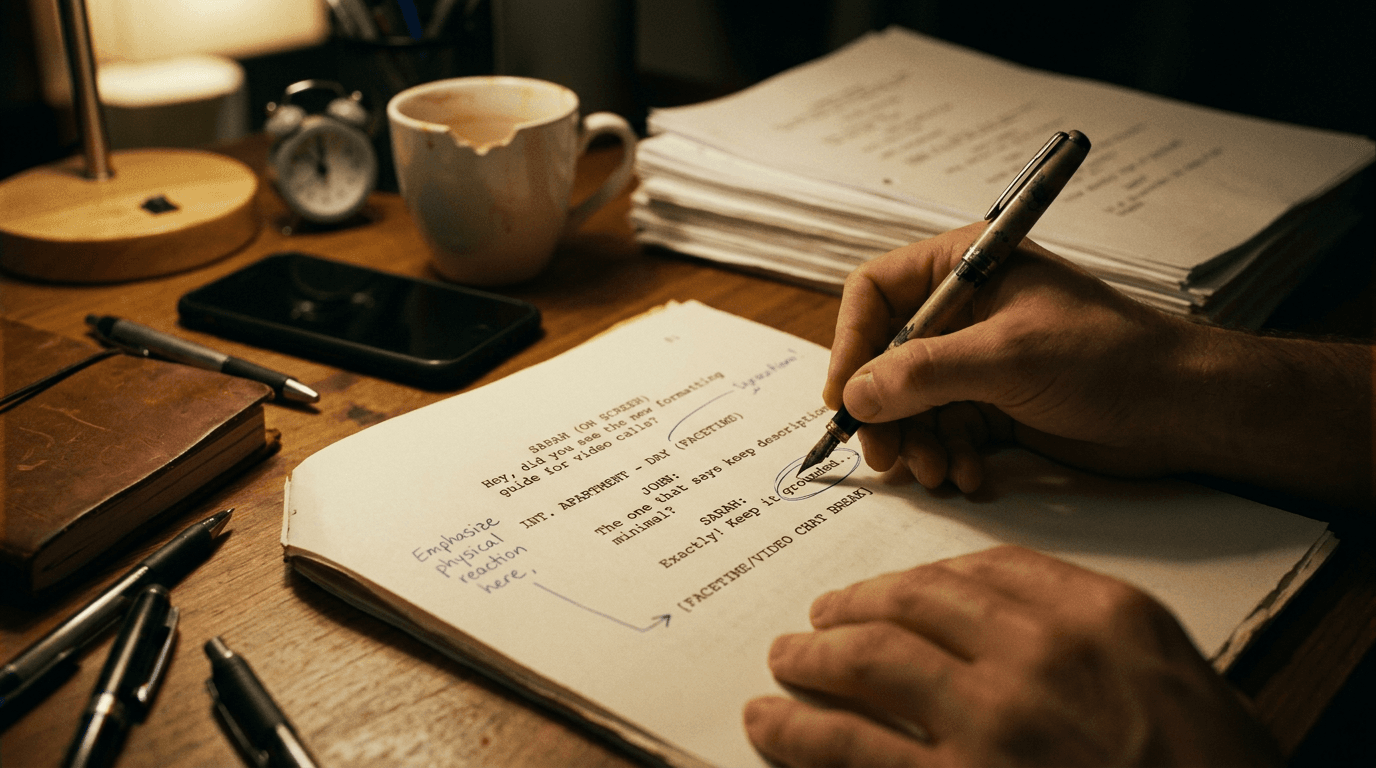
What Makes Video Chat Scenes Different From Other Dialogue
Writers often treat video calls as regular dialogue with occasional (on screen) notes. That misses critical mechanics.
Video chat scenes contain four parallel layers:
Speaker intention.
Receiver interpretation.
Platform behavior (lag, freeze, mute, reconnect).
Environment leakage (background people, noise, visible objects).
Any one of these can alter outcome.
If your formatting ignores platform behavior and environment leakage, your scene loses modern realism and tactical texture.
Video chat is not just dialogue delivery. It is dialogue under signal conditions.
Core Formatting Patterns That Work
There is no single sacred format, but clarity, consistency, and visual pacing are mandatory.
Pattern 1: Intercut Style Between Two Locations
Use explicit location headings and intercut structure when both spaces matter equally.
INT. AIRPORT GATE - DAY
INT. APARTMENT KITCHEN - NIGHT
INTERCUT VIDEO CALL
Good for high-tension back-and-forth scenes.
Pattern 2: Source-Cue Labels in Dialogue
Use labels like:
MAYA (ON VIDEO)
JON (ON PHONE SCREEN)
Useful in scenes where one physical location dominates and call is embedded.
Pattern 3: Action-Driven Platform Events
Treat freezes, drops, and mute toggles as action beats, not random tech notes.
Example: “The image locks on his half-smile.”
Only include platform events that change interpretation or choice.
Pattern 4: On-Screen UI Text Sparingly
Incoming call names, weak connection warnings, and reconnect prompts can matter, but overusing UI details clutters page flow.
Comparison Table: Practical Trade-Offs
| Approach | Best Use Case | Strength | Risk |
|---|---|---|---|
| Intercut two-location structure | Balanced emotional conflict scenes | Strong spatial clarity | Can get dense without disciplined transitions |
Speaker labels with (ON VIDEO) | Single-location POV scenes | Fast to implement | Repetitive if over-tagged |
| Platform-event action beats | Miscommunication and tension scenes | Adds modern realism + stakes | Feels gimmicky if overused |
| Heavy UI notation | Tech-thriller specificity | Detail control | Visual clutter, pacing drag |
Three Beginner Scenarios That Commonly Fail
Scenario 1: The Long-Distance Breakup With Zero Platform Reality
Writer scripts it like an in-person argument, no lag, no framing asymmetry, no interruptions.
Result: scene feels generic and misses medium-specific tension.
Fix: introduce one or two meaningful platform friction points that alter timing or interpretation.
Scenario 2: The Zoom Team Scene With Voice Confusion
Multiple participants speak, but cue naming does not distinguish on-call speakers vs in-room speakers.
Result: reader loses track fast.
Fix: stable participant naming and clear location/source tagging.
Scenario 3: The Thriller Call That Overuses Freeze Gags
Every dramatic beat coincides with a glitch.
Result: artificial manipulation.
Fix: reserve technical disruptions for true turning points. Let most beats land through character action.
Step-by-Step Workflow for FaceTime / Video Chat Scenes
Step 1: Define Scene Power Axis
Who controls conversation at start, and what can invert that control?
Power in video scenes often shifts through who can end call, who can hide context, or who controls what is visible on camera.
Step 2: Map Spatial Asymmetry
List each side’s environment variables:
privacy level
background risk
noise interference
lighting/visibility
potential interruptions
These variables create scene-specific pressure.
Step 3: Choose Formatting Mode
Intercut if both spaces carry equal weight.
Single-scene embed if one POV dominates.
Do not mix modes randomly in same sequence without explicit transition logic.
Step 4: Define Platform Behavior Rules
Decide whether this call has stable connection, intermittent lag, or critical dropouts.
Write those behaviors intentionally, not reactively.
Step 5: Write Dialogue in Timing-Sensitive Units
Video calls are timing fragile. Keep lines compact around potential overlap/freeze moments.
One mistimed interruption can do more than five explanation lines.
Step 6: Use Visual Leakage as Story Evidence
What unintended thing appears on camera?
A packed suitcase.
A second toothbrush.
Blood on a sleeve.
A child drawing on fridge.
These details often carry stronger subtext than dialogue.
Step 7: Run a “Muted Read” Pass
Read the scene imagining no audio for ten seconds at a time.
Would framing, reactions, and environment still tell a story?
If no, scene may be dialogue-dependent and visually weak.
Body Image: Two-Space Collision Map

The Trench Warfare Section: What Beginners Get Wrong and Exact Fixes
This is where video-chat scenes usually lose credibility.
Failure 1: Writing Video Calls Like Face-to-Face Dialogue
No medium-specific constraints.
Fix: add selective latency, framing limits, and platform behavior where they affect stakes.
Failure 2: Source/Location Ambiguity
Unclear who is on-screen, off-screen, or in-room.
Fix: stable cue naming + clear scene anchoring.
Failure 3: Overusing (ON VIDEO) Parentheticals
Page becomes cluttered and repetitive.
Fix: anchor source once, then maintain with clean structure until context shifts.
Failure 4: Random Tech Glitches as Cheap Drama
Disruptions happen without narrative logic.
Fix: tie each major glitch to a meaningful beat shift.
Failure 5: Ignoring What Camera Frame Reveals
Video window treated as neutral portrait.
Fix: use framing and background details as active subtext carriers.
Failure 6: No Consequence to Call Endings
Call drops, then scene continues unchanged.
Fix: each disconnection should force a concrete decision pivot.
Failure 7: Over-technical UI Spec in Action Lines
Detailed interface descriptions slow momentum.
Fix: include only UI elements that change interpretation.
Failure 8: Multi-Participant Calls Without Turn Hierarchy
Everyone speaks equally; no rhythm.
Fix: assign speaking hierarchy and interruption logic.
Failure 9: Flat Emotional Geography
Both sides feel like same tone despite different contexts.
Fix: reinforce environmental contrast through action and sensory detail.
Failure 10: No Post-Call Residue
Scene ends at disconnect with no aftermath beat.
Fix: add a behavioral aftershock action in each location.
In video-chat scenes, the most dramatic line is often what arrives half a second too late.
Try it free
Try Screenweaver for free on your script
It is free. Import your existing project, get a clearer view of your outline, and regain control of your story structure in minutes.
Start FreeAdvanced Craft: Mediated Intimacy and Strategic Distance
Video calls create a paradox: faces are close, bodies are far.
That paradox can generate unique emotional effects.
A character can maintain eye contact while hiding shaking hands off-frame.
Another can perform calm while pacing in circles just outside camera view.
Someone can weaponize muting.
Someone can stage their background to lie.
Someone can “accidentally” reveal truth by rotating the phone.
When you write these behaviors intentionally, video scenes gain tactical richness beyond spoken lines.
They also become powerful tools for class and power contrast.
One side has stable connection and private office.
Other side takes call in parking lot with low battery and no privacy.
Same conversation, different structural leverage.
That leverage should shape who interrupts, who apologizes, who hangs up, and who gets misheard.
Software Workflow and Revision Discipline
In drafting tools, video-call scenes often degrade because cue tags drift and inserted glitches accumulate without purpose.
Set a style key in notes:
source cue format ((ON VIDEO) vs intercut)
platform event vocabulary (FREEZE, CALL DROPS, RECONNECTS)
max UI detail threshold
Then normalize terms in a revision pass.
Read headings + action only. Can you track platform state and spatial location? If not, fix architecture before line polish.
For sample pacing across contemporary scripts, the <a href="https://www.nyfa.edu/student-resources/10-great-websites-download-movie-scripts/" rel="nofollow">NYFA screenplay resource list</a> can help with comparative reading paths, but your own scene-specific clarity rules should drive final formatting choices.
As discussed in our guide on [how to format a voicemail in a screenplay], delayed or mediated communication is strongest when source identity and reaction beats are explicit.
If your video scene includes live public feeds or anchor inserts, pair with [how to write a news anchor scene in screenplay format] so channels stay distinct.
And when calls run alongside physical action in another location, [how to show simultaneous action in two locations in a script] is essential for chronology control.
Body Image: Lag and Decision Timing Strip

YouTube Placeholder
[YOUTUBE VIDEO: A practical rewrite walkthrough of a weak FaceTime argument scene into a cinematic two-location sequence with clear formatting, purposeful lag beats, and stronger subtext through framing details.]
Before-and-After Micro Example
Before:
“INT. APARTMENT - NIGHT
Nina FaceTimes Leo.
LEO (ON SCREEN) I can explain.
NINA Explain what?
LEO It’s not what it looked like.
The call glitches.
NINA Whatever.”
Functional, but flat and medium-blind.
After:
“INT. APARTMENT KITCHEN - NIGHT / INT. AIRPORT GATE - DAY - INTERCUT VIDEO CALL
Leo’s face fills Nina’s cracked phone screen. Boarding calls echo behind him.
LEO (ON VIDEO) I can explain.
Nina tilts the phone down just enough to hide her shaking hand.
NINA Then explain the second suitcase.
Video freezes on Leo opening his mouth.
RECONNECT.
LEO (ON VIDEO) I said I’m not leaving--
A gate agent announces final boarding for Leo’s flight.
Nina stares at the screen. Then ends the call.”
Same story beat.
Far better tension geometry and consequence.
Ending Perspective: Format the Medium, Not Just the Dialogue
FaceTime and video-chat scenes are no longer novelty moments.
They are core dramatic infrastructure in modern scripts.
Treating them as ordinary dialogue wastes their power.
Treating them as pure tech detail kills pace.
The craft balance is simple and demanding:
clear source and location orientation.
purposeful platform behavior.
environment as subtext.
behavioral consequence at call end.
Do this, and video-call scenes stop feeling like filler convenience.
They become precision instruments for distance, intimacy, misunderstanding, and control.
That is where readers feel the scene as cinema, not interface notes.
One more layer can elevate these scenes from competent to genuinely memorable: asymmetrical truth exposure.
In many video calls, one side has more visual information than the other.
Maybe the caller sees only a face while the audience sees the full room.
Maybe the character hides someone just outside frame.
Maybe the receiver notices a reflection in a microwave door that the caller forgets exists.
This asymmetry can drive entire act turns if you stage it carefully.
Instead of writing “character lies on call,” write the lie as a framing strategy. What is intentionally excluded from camera view? What accidentally leaks in? Who notices first? What do they do with that knowledge?
When you think at this level, format choices become strategic rather than decorative.
Another high-value tactic is call-state progression design.
Do not treat connection quality as random weather.
Give it arc:
stable opening,
minor lag under stress,
critical freeze at confession,
clean reconnect too late.
That progression feels dramatically honest because technology in scene appears to respond to pressure without becoming a gimmick machine.
You can also use platform affordances as behavior verbs:
muting instead of answering,
camera off as withdrawal,
switching to audio-only as tactical control,
screen-share as coercive proof,
ending call without goodbye as social violence.
These actions are modern equivalents of door slams and exits. Treat them with the same narrative seriousness.
Practical Drill: Two-Column Truth Pass
Take one video-call scene and build a quick two-column map:
Column A: what speaker intends to communicate.
Column B: what receiver actually perceives through signal, framing, and timing.
If columns are identical line after line, you are probably writing the scene like standard dialogue. Add medium-specific distortion points that create meaningful divergence.
Practical Drill: Frame-Leak Rewrite
Rewrite the same scene twice:
Version A with no background leak.
Version B with one visual leak that appears for less than two seconds.
Compare downstream stakes. If Version B does not alter behavior, your leak is cosmetic. Make it consequential or cut it.
Practical Drill: Disconnect Consequence Audit
For every call drop or hang-up in your script, answer one question: what irreversible decision happens because reconnection is delayed or refused?
If answer is “none,” the drop is probably fake tension.
If answer is concrete, keep it and sharpen beat timing.
One professional habit helps keep all this coherent in revision week: maintain a call ledger.
Track for each scene:
who initiates,
who controls continuation,
platform state changes,
leaks observed,
post-call consequence.
This sounds tedious. It prevents major continuity drift in scripts with multiple remote conversations.
Video-chat scenes often look fine in isolation and break in sequence. A ledger catches that early.
Finally, remember the emotional paradox at the center of this medium. Video can make strangers feel close and loved ones feel unreachable in the same minute. If your scene captures that contradiction, readers will believe the moment even before they analyze why it works.
That is the target worth chasing.
And if you are writing a script with several calls across acts, build escalation intent across the set, not only within each isolated scene. Early calls can establish communication habits. Midpoint calls can fracture trust through small timing failures. Late calls can weaponize silence, framing, and deliberate disconnection.
This sequence-level design prevents repetition and gives each call a distinct dramatic identity.
When that progression is clear, readers stop seeing “another video call scene” and start feeling a relationship architecture collapsing or rebuilding through mediated contact.
That is where modern screenplay formatting stops being technical compliance and becomes emotional engineering: the medium itself shapes what can be said, heard, and believed in time.
In practical terms, every call scene should leave a measurable trace in the next scene: altered objective, changed trust level, delayed response, or new tactical plan. If no trace exists, the call was probably functional chatter rather than drama.
Final Step
Build your next script with Screenweaver
Move from ideas to production-ready pages faster with timeline-native writing and AI-assisted story flow.
Try Screenweaver