
Cinematic workflow frames
These two visuals work as a pair: the first shows Cinematic workflow still, first angle, 35mm film grain, and the second shifts to Cinematic workflow still, second angle, 35mm film grain—compare them briefly, then move on.
The "3-2-1" Backup Rule for Screenwriters: Never Lose a Line of Dialogue Again
The drive dies. The cloud sync fails. The laptop is stolen. You've heard the horror stories. You tell yourself it won't happen to you, until the day you open the project and the last three weeks are gone.
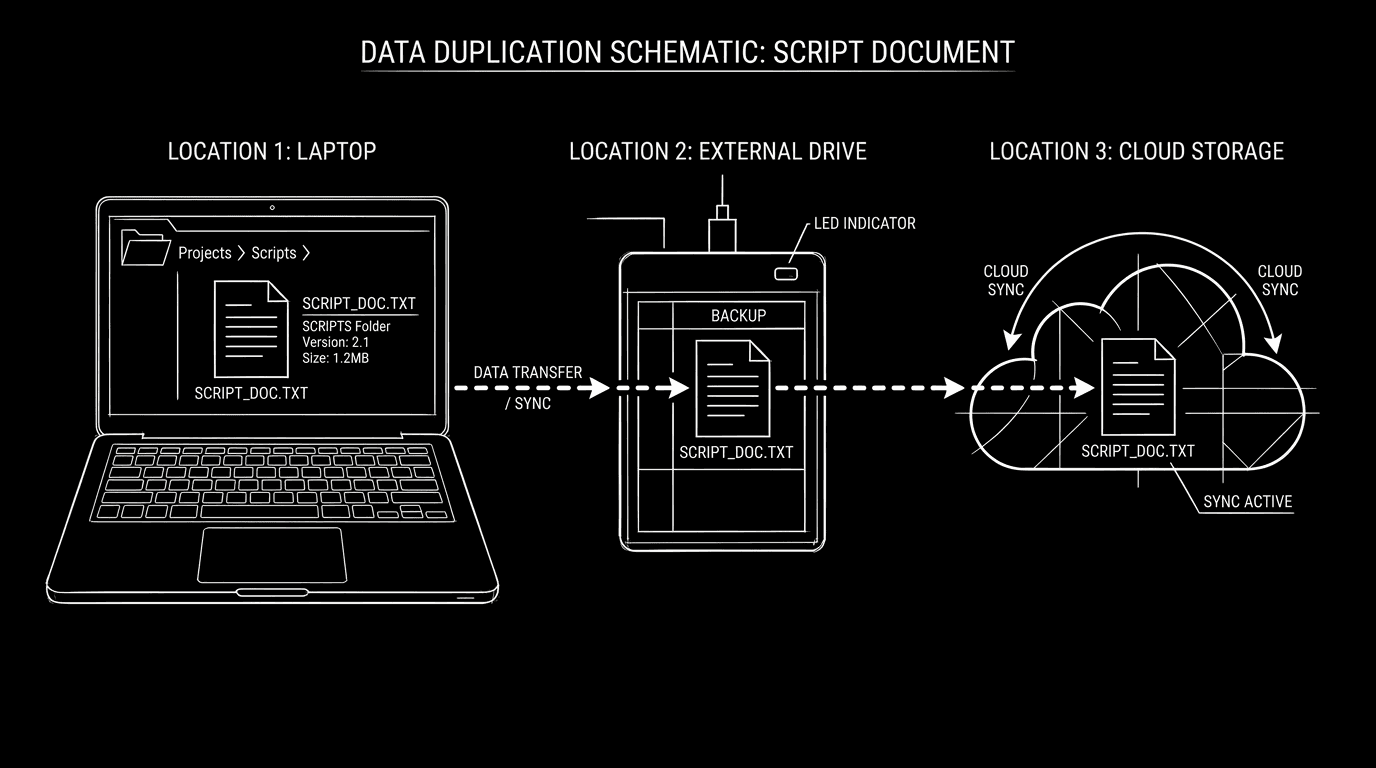
The 3-2-1 backup rule is a simple standard that keeps that day from being catastrophic: 3 copies of your work, 2 different types of storage, 1 copy off-site. For screenwriters, that means your script (and key project files) live in more than one place, in more than one form, with at least one copy you can reach when your main machine isn't there.
Why 3-2-1 Works
Three copies means the primary (what you work on) plus two backups. One failure doesn't wipe you out.
Two different storage types means not "three copies on the same disk." Typically: internal or main drive + external drive or NAS + cloud. So a hardware failure or ransomware doesn't take everything at once.
One off-site means if the house burns or the laptop is gone, you still have a copy, in the cloud or at another location. You can recover and keep writing.
One copy is not a backup. Two copies on the same machine is not a backup. 3-2-1 is the minimum for "I will not lose this script."
What to Back Up
The script itself. Final Draft .fdx, Fountain .fountain, or whatever your app uses. Plus PDF exports if you want a human-readable snapshot.
Try it free
Try Screenweaver for free on your script
It is free. Import your existing project, get a clearer view of your outline, and regain control of your story structure in minutes.
Start FreeThe project. If you use a tool that has a project file (e.g. one file or folder per project), back up the whole project so structure, beats, and script stay together. See our FDX and cloud piece for how format and backup interact.
Version history if you rely on it. Some apps keep version history in the project or in the cloud. If that's your safety net, ensure the backup includes it or that the app's own versioning is part of your 3-2-1 (e.g. cloud copy that retains history). We cover version control and snapshots separately.
A Simple 3-2-1 Setup for Writers
| Copy | Where | Type |
|---|---|---|
| 1 | Your laptop/desktop (working copy) | Local drive |
| 2 | External drive or second internal (backup) | Different device |
| 3 | Cloud (Dropbox, iCloud, Google Drive, or app-native sync) | Off-site |
Rules of thumb: Back up at least daily (or use continuous sync for the cloud copy). Before a big rewrite or before travel, trigger a manual backup. Test restore once in a while, open a copy from the external or cloud and confirm it's current and complete.
The Trench Warfare: What Goes Wrong
Only one "backup" that's really just sync. If the only other copy is cloud sync and you delete or overwrite the file, the cloud may sync the mistake. Fix: Keep a true backup that isn't instant sync, e.g. versioned backup (Time Machine, Backblaze) or periodic copy to an external that isn't always connected.
All copies in one place. Laptop + external that stays plugged into the laptop. Theft or fire takes both. Fix: One copy off-site. Cloud or a drive you keep elsewhere.
Backing up only when you remember. Fix: Automate. Use scheduled backup software or cloud sync that runs every day. Then "backup" is a habit, not a hope.
Never testing restore. You assume the backup works. Fix: Once a quarter, restore one project from the external or cloud to a different folder and open it. If it opens and is current, you're good.
Ignoring version history. You have 3 copies of "current" but no history. You need the version from yesterday. Fix: Use an app or workflow that keeps snapshots or version history (e.g. version control and snapshots), and include that in your 3-2-1 or rely on the app's cloud history as your third copy.
The Perspective
Your script is your work. The 3-2-1 rule doesn't make you a backup nerd, it makes you someone who will still have that work when a drive fails or a machine disappears. Three copies. Two storage types. One off-site. Set it once, automate it, test it. Then write without the fear that one crash will erase a line of dialogue forever.
[YOUTUBE VIDEO: Walkthrough of a writer's 3-2-1 setup: local project folder, external backup, and cloud sync; how often to run backup; quick test restore.]
Final Step
Build your next script with Screenweaver
Move from ideas to production-ready pages faster with timeline-native writing and AI-assisted story flow.
Try Screenweaver